











Kudos has partnered with CardRatings and Red Ventures for our coverage of credit card products. Kudos, CardRatings, and Red Ventures may receive a commission from card issuers. Kudos may receive commission from card issuers. Some of the card offers that appear on Kudos are from advertisers and may impact how and where card products appear on the site. Kudos tries to include as many card companies and offers as we are aware of, including offers from issuers that don't pay us, but we may not cover all card companies or all available card offers. You don't have to use our links, but we're grateful when you do!

Does Ross Dress for Less Accept Apple Pay in 2025? (Yes + 5 Cards That Earn Up to 6% Back)
July 1, 2025


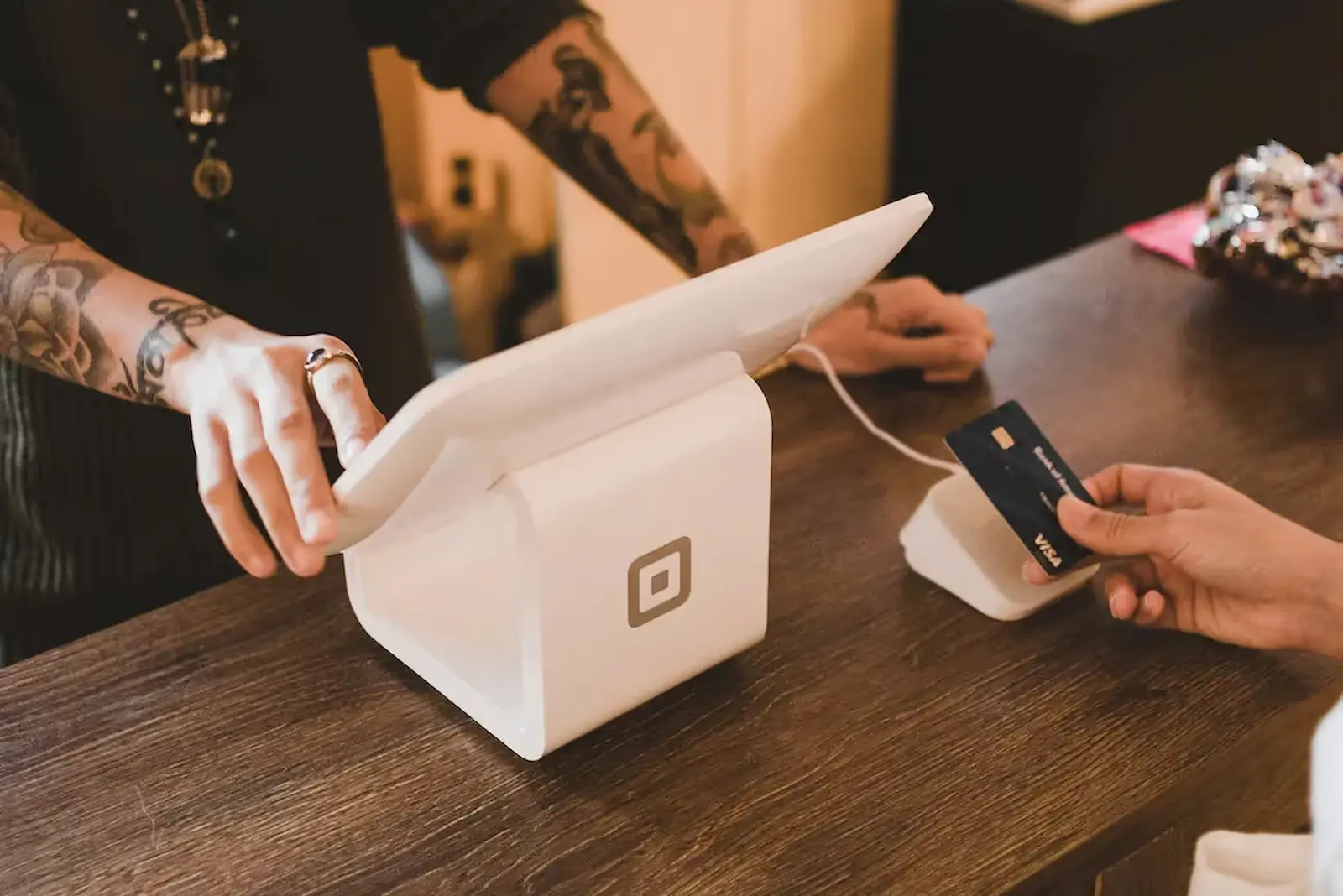
Walking into Ross with your phone ready to tap and pay seems straightforward enough. But here's what most shoppers miss: the payment method you choose determines whether you're leaving money on the table—or pocketing an extra $285 annually on the same purchases you're already making.
Ross Dress for Less does accept Apple Pay at all 1,900+ locations nationwide, both in-store and online. But that's just the beginning of the story. The real question isn't whether Ross takes Apple Pay—it's which credit card you've loaded into your Apple Wallet that makes the difference between earning nothing and earning up to 6% cash back on already-discounted merchandise.
In this guide, we'll show you exactly how to use Apple Pay at Ross, reveal the five best credit cards that maximize your returns on discount shopping, and share strategic timing tips that stack additional savings on top of Ross's rock-bottom prices.
Quick Answer: Yes, Ross Takes Apple Pay Everywhere
The Short Version:
✓ All 1,900+ Ross Dress for Less locations accept Apple Pay
✓ Works with iPhone (iPhone 6 and later) and Apple Watch
✓ Accepted for in-store and online purchases
✓ No transaction limits or additional fees
✓ Same-day availability (no waiting period)
What This Means:
Whether you're shopping the clearance racks on a Tuesday morning or buying home goods online at midnight, your Apple Pay setup works seamlessly at every Ross touchpoint. The contactless payment infrastructure rolled out nationwide in 2023, making Ross one of the more payment-flexible discount retailers.
Important Note:
While Ross accepts Apple Pay, the credit card you've chosen inside Apple Wallet determines your rewards earnings—and that's where savvy shoppers gain a significant advantage.

The Apple Pay Advantage: Why Ross Shoppers Should Use It
Beyond Convenience: Real Financial Benefits
Using Apple Pay at Ross isn't just about speed—it's about security, privacy, and reward optimization:
Security Perks:
- Your actual card number never touches Ross's payment system
- Each transaction generates a unique, one-time security code
- Even if Ross's system were compromised, your card stays protected
- Face ID/Touch ID authentication prevents unauthorized purchases
Privacy Benefits:
- Ross doesn't receive your actual credit card number
- Transaction history stays private between you and your bank
- No paper receipts with readable card numbers
Strategic Advantages:
- Instantly switch cards for different purchase categories
- No fumbling for the right physical card
- Split transactions seamlessly (one card for clearance, another for regular price)
- Track spending in real-time through Wallet app
Hidden Value:
Many shoppers don't realize that using Apple Pay automatically categorizes Ross purchases correctly in Apple Wallet, making it easier to track discount shopping patterns and adjust your credit card strategy accordingly.

Step-by-Step: Using Apple Pay at Ross (In-Store & Online)
In-Store Checkout Process
Before You Shop:
- Open Settings → Wallet & Apple Pay
- Verify your preferred card is set as default (or be ready to select manually)
- Confirm Face ID/Touch ID is enabled
At the Register:
- Tell the cashier you're paying with Apple Pay (they'll activate the contactless reader)
- Double-click the side button on iPhone (or double-click side button on Apple Watch)
- Hold device near the p
- ayment terminal (within 2 inches)
- Authenticate with Face ID, Touch ID, or passcode
- Wait for the checkmark and "Done" message (usually 2-3 seconds)
Pro Tip:
If your default card isn't ideal for this purchase, tap your default card in Apple Wallet before authenticating, then swipe to select a different card. This takes only 2 seconds but could earn 4-5% more rewards.
Online Checkout Process
- Add items to your Ross cart and proceed to checkout
- Select "Apple Pay" as your payment method
- Verify shipping/billing information
- Double-click side button and authenticate
- Order confirmed instantly
Common Mistake to Avoid:
Don't walk away immediately after seeing the checkmark. Wait for the cashier to confirm on their screen and provide your receipt—occasionally, network hiccups require a second attempt.
Best Credit Cards for Ross Shopping: Earn Up to 6% Back
Here's where strategy transforms into savings. Ross doesn't have a category bonus on most credit cards, but these five cards offer the best returns on discount retail purchases:
For Maximum Cash Back:
Blue Cash Preferred® Card from American Express
[[ SINGLE_CARD * {"id": "261", "isExpanded": "false", "bestForCategoryId": "15", "bestForText": "Cash Back Seekers", "headerHint": "Popular Cash Back Card"} ]]
Citi Double Cash® Card
[[ SINGLE_CARD * {"id": "580", "isExpanded": "false", "bestForCategoryId": "15", "bestForText": "Everyday Spenders", "headerHint": "No Annual Fee"} ]]
Chase Freedom Flex®
[[ SINGLE_CARD * {"id": "2883", "isExpanded": "true", "bestForCategoryId": "52", "bestForText": "No Annual-Fee Card Seekers", "headerHint" : "No Annual Fee" } ]]
Capital One Quicksilver Cash Rewards Credit Card
[[ SINGLE_CARD * {"id": "428", "isExpanded": "false", "bestForCategoryId": "15", "bestForText": "Cash Back Seekers", "headerHint": "Straightforward Rewards"} ]]
Bank of America® Customized Cash Rewards Credit Card
[[ SINGLE_CARD * {"id": "188", "isExpanded": "false", "bestForCategoryId": "15", "bestForText": "Cash Back Seekers", "headerHint": "2% on Grocery Stores, Wholesale Clubs"} ]]
Strategic Shopping: When to Shop Ross for Maximum Rewards
Timing Your Purchases for Compound Savings
Smart Ross shoppers don't just use the right card—they shop at the right time:
Best Days for New Stock:
- Tuesday/Wednesday mornings (9-10 AM): New shipments hit the floor; best selection before picked over
- Thursday evenings (6-8 PM): Weekend pricing adjustments and additional markdowns
- Monday mornings: Last call on weekend returns (great finds at clearance prices)
Seasonal Sweet Spots:
- Late January-February: Post-holiday clearance up to 75% off
- Late August-September: Back-to-school clearance
- Day after major holidays: Additional 50% off red-tag items
Credit Card Calendar Alignment:
- Q4 (Oct-Dec): Activate Chase Freedom Flex if department stores are the rotating category
- January: Use Amex Blue Cash Preferred at supermarkets to buy Ross gift cards for the year
- Black Friday weekend: Stack store clearance with credit card bonus categories
Reward Stacking Example:
- Buy $500 in Ross gift cards at supermarket in January using Amex Blue Cash Preferred: Earn $30 (6%)
- Use gift cards during late January clearance: Save additional 70% on red-tag items
- Total savings: $30 cash back + $350 discount = $380 in combined benefits
All Payment Methods Accepted at Ross (Not Just Apple Pay)
While Apple Pay is convenient, Ross offers multiple payment flexibility:
Accepted Payment Methods:
Mobile Wallets:
- ✓ Apple Pay (all locations)
- ✓ Samsung Pay (all locations)
- ✗ Google Pay (NOT accepted—Ross doesn't support NFC from Android)
Traditional Payments:
- Credit cards: Visa, Mastercard, American Express, Discover
- Debit cards: All major networks
- Cash: All in-store locations
- Personal checks: With valid photo ID
- Ross gift cards: In-store and online
Buy Now, Pay Later:
- Zip (formerly Quadpay): Split into 4 interest-free payments
- Sezzle: 4 interest-free installments over 6 weeks
Strategic Note:
Samsung Pay works at Ross because it uses MST (Magnetic Secure Transmission) technology that mimics card swipes, while Google Pay relies solely on NFC—which Ross's older terminals don't universally support.

Shopping Ross Online: Apple Pay + Additional Savings Opportunities
Online Checkout Optimization
Ross's online shopping platform fully integrates Apple Pay, but the digital shopping experience offers unique advantages:
Online-Exclusive Benefits:
- Browse entire inventory without in-store digging
- Filter by size/color/price before committing
- Free shipping on orders $89+ (vs. driving to store)
- Extended return window (online purchases get 40 days vs. 30 days in-store)
How to Use Apple Pay on Ross.com:
- Add items to cart and click "Checkout"
- Enter shipping information
- Select "Apple Pay" under payment methods
- Authenticate on your device
- Order confirmation arrives instantly via email
Reward Stacking Strategy: If you select "Online Shopping" as your 3% category on Bank of America Customized Cash Rewards, every Ross online purchase earns triple rewards—significantly better than the standard 1-2% you'd earn shopping in-store with most cards.
Hidden Opportunity:
Ross doesn't advertise this, but online clearance items often differ from in-store clearance. You can find online-exclusive markdowns that never appear in physical stores, especially in home goods and accessories.
How Kudos Multiplies Your Ross Savings
While choosing the right credit card earns you 1-6% back, Kudos adds an extra layer of rewards on top:
What Kudos Does for Ross Shoppers:
✓ Auto-selects your highest-earning card at Ross checkout (even if you forget which card earns the most)
✓ Stacks Kudos Boost rewards on top of your card's base earnings
✓ Tracks Ross spending patterns and alerts you when better card options exist
✓ Identifies Ross gift card opportunities at supermarkets when you have 6% categories activated
✓ Monitors quarterly category changes and automatically adjusts recommendations
Real-World Example:
- You're shopping Ross online with multiple cards in your wallet
- Kudos identifies that Bank of America Customized Cash beats your Citi Double Cash
- You earn an extra $50 annually just by letting Kudos select the optimal card
- Plus: Kudos Boost adds an additional 2% on participating retailers
Special Offer:
New Kudos users earn $20 back on their first eligible purchase of $30+ with code "GET20"—essentially giving you a 66% return on your first Ross transaction.
Troubleshooting: When Apple Pay Doesn't Work at Ross
Common Issues and Instant Fixes:
Problem: "Payment Declined" message appears
Solution: Your default card may have insufficient funds or temporary holds. Double-click side button BEFORE holding near terminal, then manually select a different card.
Problem: Terminal says "See Cashier"
Solution: This usually indicates the contactless reader isn't activated. Ask cashier to enable NFC/contactless payments on their terminal.
Problem: Payment processes but hangs without confirmation
Solution: Wait 10 seconds before attempting again—occasional network lag delays confirmation. Don't try multiple times or you risk duplicate charges.
Problem: Apple Watch payment fails repeatedly
Solution: Ensure Watch is unlocked and you're holding it within 1 inch of the reader. The Watch has a shorter NFC range than iPhone.
Problem: Ross.com rejects Apple Pay online
Solution: Verify your billing address in Wallet matches your card's billing address exactly (including apartment numbers, PO boxes, etc.).
Backup Strategy:
Always have one physical card accessible when using Apple Pay—technology fails occasionally, and you don't want to abandon a cart full of deals because of a payment glitch.
Frequently Asked Questions
Does Ross accept Apple Pay at all locations?
Yes, all 1,900+ Ross Dress for Less stores accept Apple Pay for in-store purchases, and Apple Pay is available for online orders through Ross.com.
Can I use Apple Pay for returns at Ross?
Yes, if you originally paid with Apple Pay, Ross can process your return refund back to the same card. You'll need your original receipt and the original payment method (the physical card or Apple Wallet).
What's the spending limit for Apple Pay at Ross?
Ross doesn't impose Apple Pay-specific limits. Your transaction limit is determined by your credit card's available credit or daily spending limits—not by Apple Pay itself.
Why doesn't Google Pay work at Ross like Apple Pay does?
Ross's payment terminals support contactless payments through NFC (which Apple Pay uses) and MST technology (which Samsung Pay uses), but many Ross locations have older terminals that don't support the specific NFC protocol Google Pay requires.
Do I earn the same credit card rewards when using Apple Pay?
Yes, absolutely. Apple Pay is just a payment conduit—your credit card issuer sees the transaction exactly as they would if you swiped the physical card. You earn identical rewards, points, and cash back.
Can I split payment between Apple Pay and another method at Ross?
Generally no. Ross's point-of-sale system typically requires one payment method per transaction. If you need to split payments, you'll need to make separate purchases.
Is using Apple Pay at Ross safer than using my physical card?
Yes, significantly safer. Apple Pay generates a unique transaction code for each purchase, meaning your actual card number never touches Ross's payment system. Even if Ross's system were compromised, your card information would remain secure.
Does Ross charge fees for using Apple Pay?
No, Ross absorbs any processing fees associated with Apple Pay transactions. You won't see surcharges or additional costs for choosing contactless payment over traditional card swipes.
Bottom Line: Smart Strategies for Ross + Apple Pay
The Verdict:
Apple Pay works flawlessly at Ross Dress for Less—both in-store and online across all 1,900+ locations. But the real opportunity isn't just about payment convenience; it's about strategic card selection that turns discount shopping into a profit center.
Your Action Plan:
- Choose the right card for your spending level:
- Under $1,600/year at Ross: Citi Double Cash (2% cash back, no annual fee)
- $1,600-$5,000/year at Ross: Amex Blue Cash Preferred (6% via gift cards minus $95 fee)
- Online Ross shopping: Bank of America Customized Cash (3% in Online Shopping category)
- Add the card to Apple Wallet and set it as your default payment method
- Install Kudos to automatically select your highest-earning card and stack additional rewards
- Time your shopping strategically:
- Tuesday/Wednesday mornings for new stock
- Late January and late August for seasonal clearance
- Stack credit card bonus categories with store clearance periods
- Use the $20 Kudos bonus (code "GET20") on your first Ross purchase to validate your setup
The Math:
Average Ross shopper spending $5,000 annually:
- Using debit card: $0 earnings
- Using basic credit card (1%): $50 earnings
- Using optimized strategy: $200+ earnings
- Net difference: $200 annually for making smarter payment choices
Remember: Ross's prices are already 20-60% below department store pricing. Adding 2-6% cash back on top of those savings compounds your discounts—you're essentially getting paid to shop deals.
Unlock your extra benefits when you become a Kudos member



Turn your online shopping into even more rewards


Join over 400,000 members simplifying their finances



Editorial Disclosure: Opinions expressed here are those of Kudos alone, not those of any bank, credit card issuer, hotel, airline, or other entity. This content has not been reviewed, approved or otherwise endorsed by any of the entities included within the post.







.webp)

.webp)