







Kudos has partnered with CardRatings and Red Ventures for our coverage of credit card products. Kudos, CardRatings, and Red Ventures may receive a commission from card issuers. Kudos may receive commission from card issuers. Some of the card offers that appear on Kudos are from advertisers and may impact how and where card products appear on the site. Kudos tries to include as many card companies and offers as we are aware of, including offers from issuers that don't pay us, but we may not cover all card companies or all available card offers. You don't have to use our links, but we're grateful when you do!

Bilt 2.0: New Cards, Rewards Tiers, and What Kudos Users Need to Know
September 27, 2026
.webp)


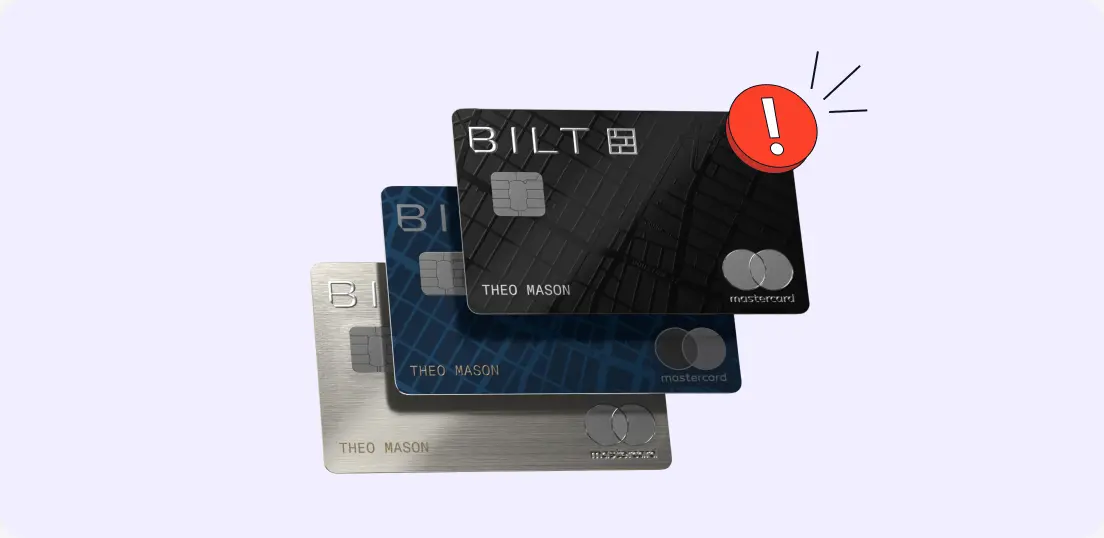
Bilt relaunched earlier this year with a completely overhauled rewards structure and three brand-new cards. If you're a Bilt cardholder, here's what changed and how to make sure Kudos is set up correctly for you.
What Changed With Bilt
Bilt moved from Wells Fargo and American Express to three new cards issued through Column/Cardless:
- Bilt Blue Card (See Rates & Fees)
- Bilt Obsidian Card (See Rates & Fees)
- Bilt Palladium Card (See Rates & Fees)
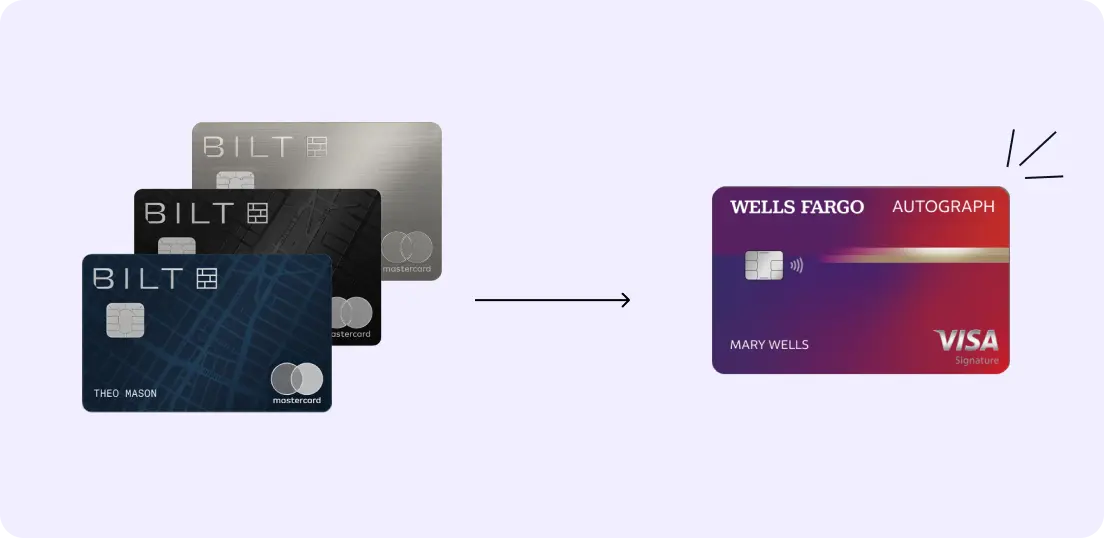
If you had the original Bilt Mastercard® through Wells Fargo, that card was transitioned to the Wells Fargo Autograph. We've updated your Kudos wallet to reflect this automatically.

The New Rewards Structure
Bilt 2.0 replaced the old 5 transactions/month requirement with a rewards path you select inside the Bilt app. Your earning rate on rent and mortgage payments depends on which path you're on.
There are five tiers:
- Housing only rewards (0.5x)
- Housing only rewards (0.75x)
- Housing only rewards (1x)
- Housing only rewards (1.25x)
- Bilt Cash (redeemed for 1x on housing)
Your tier directly changes which card actually wins at checkout, so Kudos needs to know which one you're on.
[[ COMPARE_CARD * {"ids": ["22391", "22392", "22393"], "bestCategoryIds":["17", "18", "19"], "bestForTexts":["Rewards on Mortgage and Rent", "Accelerated Points", "Rent Rewards"]} ]]

How to Set Your Tier in Kudos
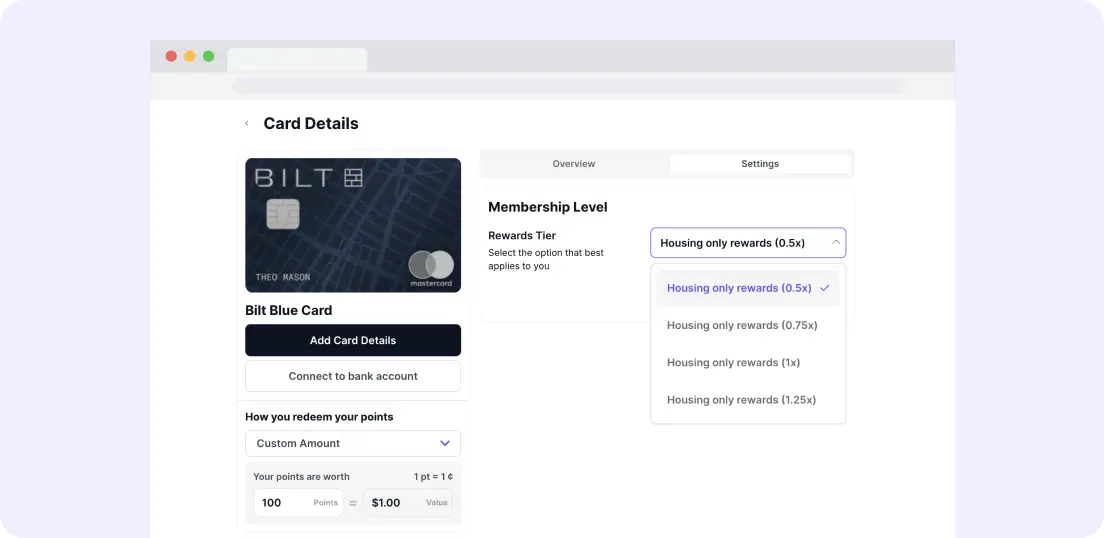
- Open your Kudos wallet on the web or in the mobile app
- Tap your Bilt card
- Go to card settings
- Select the tier that matches your rewards path
Not sure which path you're on? Open the Bilt app and head to account settings, where you'll see it.
Once your tier is set inside Kudos, we'll make the right recommendation every time you're deciding which card to use.
Bilt Cash
If you're on the Bilt Cash path, you can now select "Bilt Cash (redeemed for 1x on housing)" directly as your tier in card settings, just like the housing-only tiers above.
Because Bilt Cash can be redeemed across rent, mortgage, travel, and more, Kudos can't automatically detect when you've used it. You can track your balance manually in the Benefits Tracker:
- Go to your Benefits Tracker
- Find your Bilt card
- Locate the Bilt Cash credit
- Toggle it once you've redeemed it
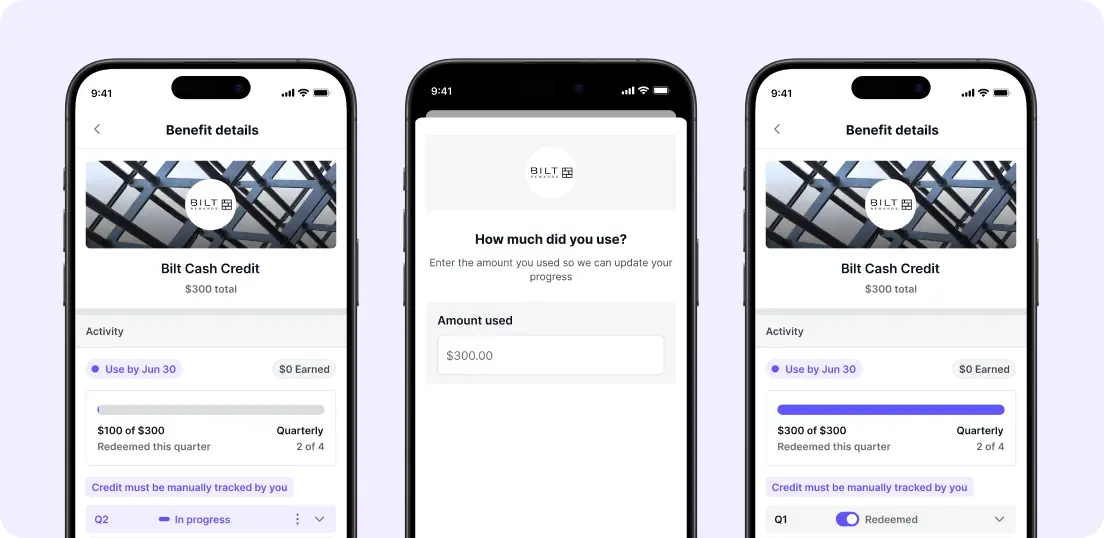
Think of it like a checkbox you update yourself each time you redeem. It keeps your benefits view accurate, so you always know where you stand.
If you're not already using the Benefits Tracker, it's the fastest way to see which credits are still sitting unused across all your cards. The average cardholder leaves $300 in unused benefits on the table every year, not because they don't care, just because there's no easy way to see it all in one place. Learn more.
Already on the Wells Fargo Autograph?
If you migrated from Bilt 1.0 and didn't pick up a new Bilt card, your wallet has been updated to the Wells Fargo Autograph® Card automatically. No action needed.
[[ SINGLE_CARD * {"id": "3023", "isExpanded": "false", "bestForCategoryId": "15", "bestForText": "Beginner Travelers", "headerHint": "Low-Maintenance Card"} ]]
Frequently Asked Questions
What are the new Bilt cards?
Bilt relaunched in January 2026 with three new cards, Bilt Blue, Bilt Obsidian, and Bilt Palladium, all issued through Column/Cardless. The original Bilt Mastercard through Wells Fargo was discontinued and transitioned to the Wells Fargo Autograph.
What happened to my original Bilt card in Kudos?
We've updated your wallet automatically. If you had the original Bilt Mastercard, it now shows as the Wells Fargo Autograph in Kudos. If you picked up one of the new Bilt cards, you'll need to add it to your wallet manually.
What is Bilt Cash?
Bilt Cash is a rewards path introduced with Bilt 2.0. It's redeemed for 1x on housing and can also be used flexibly across rent, mortgage, travel, and more.
What's the difference between the housing-only tiers and the Bilt Cash tier?
The housing-only tiers (0.5x to 1.25x) give you points on rent and mortgage payments based on your overall spend level. The Bilt Cash tier gives you cash-equivalent rewards you can use more broadly. You choose your path in the Bilt app.
Does Kudos factor my tier into card recommendations?
Yes. Once you select your tier, whether housing-only or Bilt Cash, in Kudos card settings, we'll use it to recommend the right card for your rent and mortgage payments.
Why can't Kudos automatically track my Bilt Cash redemptions?
Because Bilt Cash can be redeemed in multiple ways across different platforms, Kudos can't automatically detect when you've used it. The Benefits Tracker supports it as a manual credit, just toggle it once you've redeemed it to keep your view accurate.
How do I know which tier I'm on?
Log into your Bilt app and check your rewards path under account settings. Then set the matching tier in Kudos card settings.
Does this apply to all three new Bilt cards?
Yes. Bilt Blue, Obsidian, and Palladium all share the same rewards structure and tier system. The cards differ in perks and annual fees, but the tier logic in Kudos works the same way across all three.

Unlock your extra benefits when you become a Kudos member



Turn your online shopping into even more rewards


Join over 400,000 members simplifying their finances



Editorial Disclosure: Opinions expressed here are those of Kudos alone, not those of any bank, credit card issuer, hotel, airline, or other entity. This content has not been reviewed, approved or otherwise endorsed by any of the entities included within the post.

.webp)







.webp)