







Kudos has partnered with CardRatings and Red Ventures for our coverage of credit card products. Kudos, CardRatings, and Red Ventures may receive a commission from card issuers. Kudos may receive commission from card issuers. Some of the card offers that appear on Kudos are from advertisers and may impact how and where card products appear on the site. Kudos tries to include as many card companies and offers as we are aware of, including offers from issuers that don't pay us, but we may not cover all card companies or all available card offers. You don't have to use our links, but we're grateful when you do!

How to Maximize Your Kudos Premium Membership: A Complete Guide
September 27, 2026
.webp)



If you just upgraded to Kudos Premium (or you're a Lifetime member), you already made the right call. But subscribing is only step one. The real savings come from actually using what's inside your wallet. Here's exactly what to do, in order, to get the most out of your membership.
Start Here: The Three Things to Do Now
1. Add and Link All Your Cards
Everything in this guide, and in Kudos Premium generally, depends on this first step. Install the Kudos browser extension and add every card you carry to your wallet. This isn't just so Kudos can pick the right one at checkout, it's also what makes Benefits Tracker possible in the first place. Kudos can't surface credits, perks, or expiration dates on a card it doesn't know you have, so linking your cards is the one true prerequisite for the rest of your Premium membership.
Head to My Cards to add your cards, and if you want the deepest level of tracking, connect your cards to their banks as well.
Once your cards are added, Kudos automatically flags the card that earns the most rewards for each specific purchase and autofills it at checkout. That checkout feature is free for everyone, but it's the foundation everything else builds on.

2. Open Benefits Tracker and See What You're Already Leaving on the Table
This is the single most underused feature in Kudos Premium, and the first thing worth checking once your cards are linked. Open the Benefits Tracker and sort by expiration date. You'll see real-time progress bars for every credit and perk across every card you have, what you've already used, step-by-step redemption instructions with direct links, and an annual-fee-vs-value comparison so you know which cards are still earning their keep.
It's common to open this for the first time and discover a credit worth real money that's about to expire unused, so this is worth doing in your first session, not saving for later.
Pro tip: Do this once a month at the very least. Annual credits (travel, dining, streaming) quietly reset or expire, and Benefits Tracker is the only place that shows you all of them at once. We'll remind you as credits get close to expiring, as well!

3. Stack Boost Cashback on Top of Your Card Rewards
Most people stop at card rewards. Kudos Boost adds extra cashback at 15,000+ participating merchants on top of whatever your card already earns — and as a Premium or Lifetime member you earn 1.25x the standard Boost rate, so a 10% rate becomes 12.5%. The only rule: make sure Boost is activated before you check out, not after. This takes seconds and stacks automatically, so there's no reason not to do it on your very next purchase.
And if the store you're on isn't the best place to buy, Kudos will tell you. When the exact item is cheaper or earns more Boost elsewhere, a prompt shows you how much better off you'd be. Here's how it works.
Do This Next: Set Up Your Recurring Value
4. Turn On Auto-Activated Card Offers
Kudos automatically activates offers on your Amex, Chase, Citi, Bank of America, and Wells Fargo cards whenever you visit those issuer portals, then reminds you to use them at checkout. Check your activated offers regularly so you're never sitting on savings you forgot you had.
The Biggest Single Win: Let an AI Agent Negotiate Your Bills
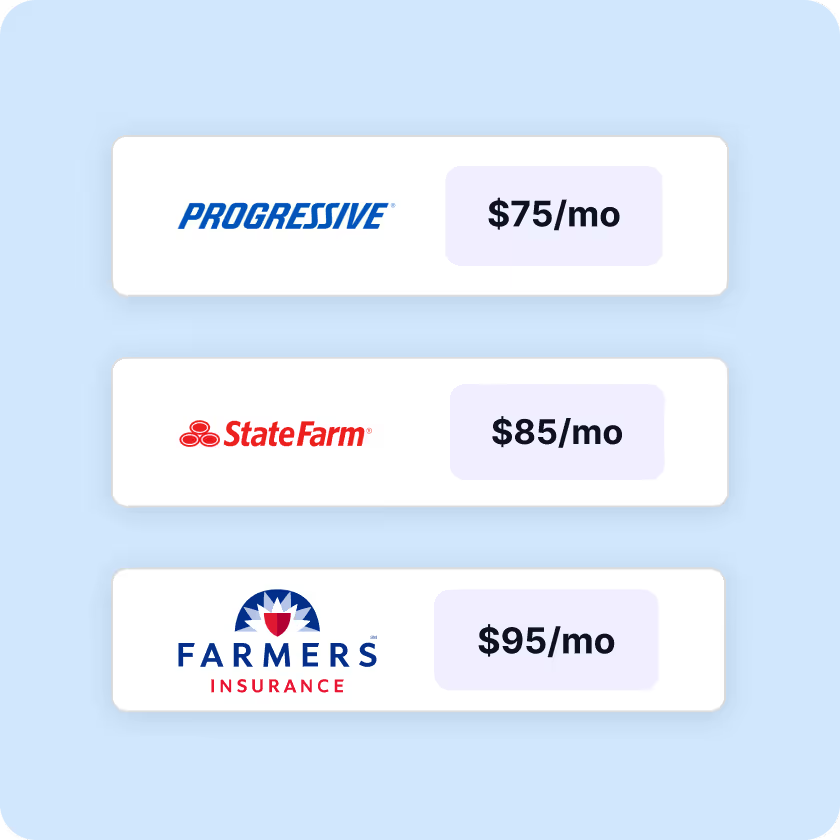
This is the feature with the biggest single payoff in the entire membership, and it's worth doing in your first week rather than saving for later. Kudos sends an AI agent to negotiate your phone, internet, or cable bill directly with your provider, no hold music, no phone trees, and you keep 100% of whatever it saves. One Kudos team member saved $840 on a single T-Mobile bill, more than 11x the cost of an annual Premium subscription. Head to Lower Bills to get started.
Ongoing Habits That Compound Over Time
Ask Kudos AI Instead of Digging Through Statements
Kudos AI lives in the bottom-right corner of your wallet, on mobile and web. Instead of scrolling through transactions, just ask it things like:
- Where did I spend the most this month?
- What recurring subscriptions do I have?
- Which offers should I activate before they expire?
- Am I using the right card for my spending?
It gets more useful the more you use it, since it learns your specific spending patterns over time.

Check the Location Cheatsheet Before You Swipe
Available on iOS and Android, Location Cheatsheet shows the best card to use at the specific place you're standing, restaurant, grocery store, gas station, or otherwise. Add the widget to your home screen, and you'll know your best card before you even open the app.
Clean Up Subscriptions You Forgot About
Kudos identifies recurring subscriptions across your connected accounts and can cancel unwanted ones with a single tap. Its AI agents handle the cancellation through the merchant's website, email, or chat, usually in seconds to minutes.
Track Your Welcome Bonus Progress
If you're chasing a sign-up bonus, enter the spending requirement, time window, and bonus amount into the welcome offer tracker. Premium members get smart alerts as they approach the target or the deadline, so a bonus never quietly expires unmet. Here's how to do it:
- Head to the card in your wallet
- If you've linked your card inside Kudos, we'll automatically track your sign-up bonus
- If your offer differs from the publicly listed terms (targeted bonus, different threshold, extended timeline), edit these fields to match your specific offer
- You'll receive alerts as you approach the spending target or the deadline
Occasional but Valuable: Use Test Drive Before You Apply for a New Card
Thinking about a new card but not sure it's worth the annual fee? Test Drive calculates exactly how much you'd earn based on your actual spending history before you apply.
Pair Test Drive with Card Explorer to compare and contrast cards side by side from our database of over 3,000 cards, filtering by welcome bonus, annual fee, and rewards category until you find the one that actually fits how you spend. Check it out in the Explore Tool.
Quick-Start Checklist
- Install the browser extension and add/link all your cards
- Open Benefits Tracker and sort by expiration date
- Activate Boost before your next purchase
- Confirm auto-activated offers are turned on for your issuers
- Try AI bill negotiation on your phone or internet bil
- Ask Kudos AI what you spent the most on last month
- Add the Location Cheatsheet widget to your home screen
- Review your subscriptions and cancel anything unused
- Turn on the Kudos extension in Safari on iPhone so better-deal alerts follow you on mobile
Frequently Asked Questions
How do I upgrade to Kudos Premium?
In the Kudos app for iOS or Android, go to Settings and select "Upgrade to Premium." On the web, go to Account Settings and choose the same option.
Does Premium work across devices?
Yes. Subscribe once, and it works on iOS, Android, the web, and the browser extension.
What if I don't see my Premium features after subscribing?
Reach out to support@joinkudos.com and the team will resolve it.
Where can I get more help?
Visit the Kudos Support Center any time or say hi at support@joinkudos.com.
Unlock your extra benefits when you become a Kudos member



Turn your online shopping into even more rewards


Join over 500,000 members simplifying their finances



Editorial Disclosure: Opinions expressed here are those of Kudos alone, not those of any bank, credit card issuer, hotel, airline, or other entity. This content has not been reviewed, approved or otherwise endorsed by any of the entities included within the post.

.webp)

.webp)