






Kudos has partnered with CardRatings and Red Ventures for our coverage of credit card products. Kudos, CardRatings, and Red Ventures may receive a commission from card issuers. Kudos may receive commission from card issuers. Some of the card offers that appear on Kudos are from advertisers and may impact how and where card products appear on the site. Kudos tries to include as many card companies and offers as we are aware of, including offers from issuers that don't pay us, but we may not cover all card companies or all available card offers. You don't have to use our links, but we're grateful when you do!

Introducing the Kudos Location Cheatsheet: The Best Card Near You, Always
September 27, 2026
.webp)


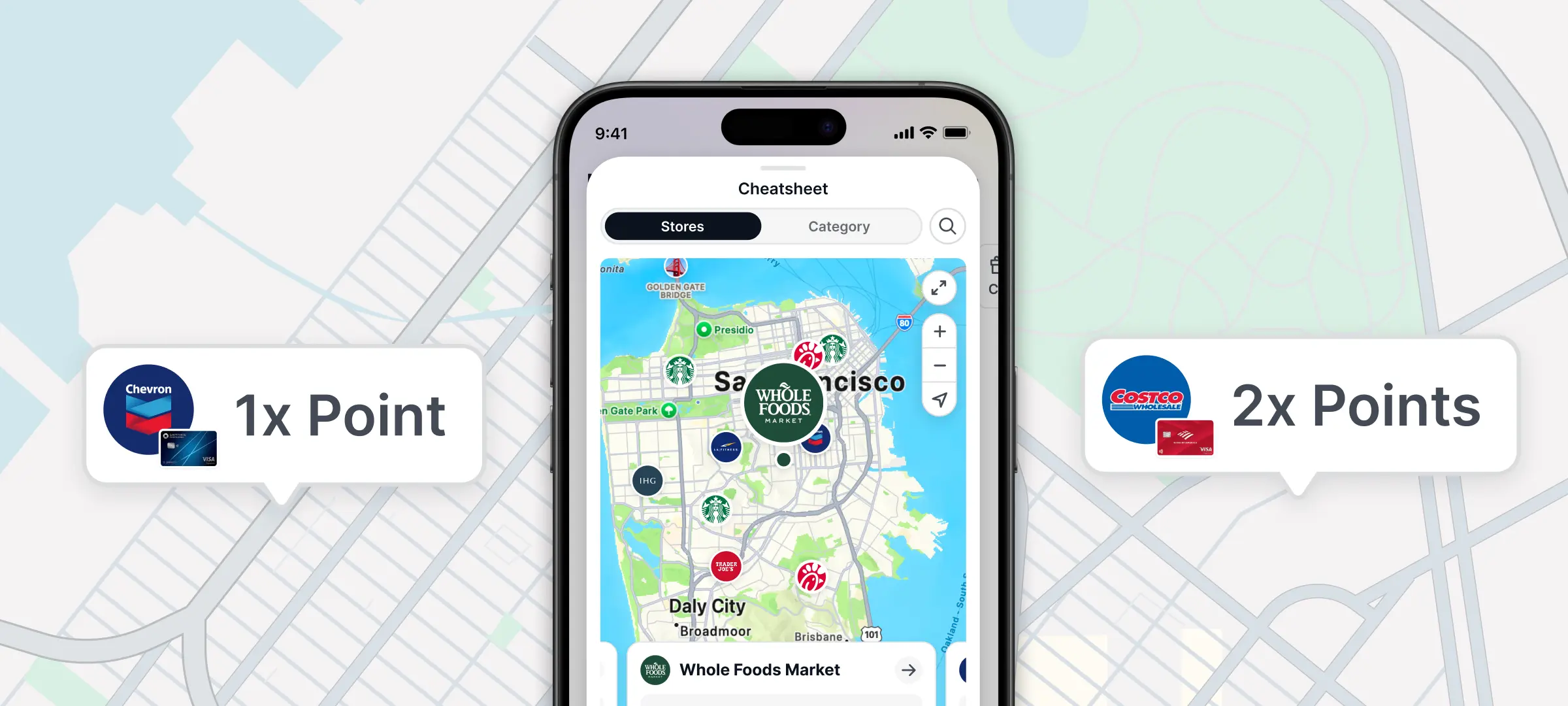
The Kudos Cheatsheet is one of our most-loved features. You've used it to know exactly which card to reach for when shopping online. Search a store, a category, or a merchant, and you instantly have your answer.
Today, it gets its biggest update yet.
Now It Works at the Places Around You
Starting today, the Kudos Cheatsheet works for brick-and-mortar shopping too.
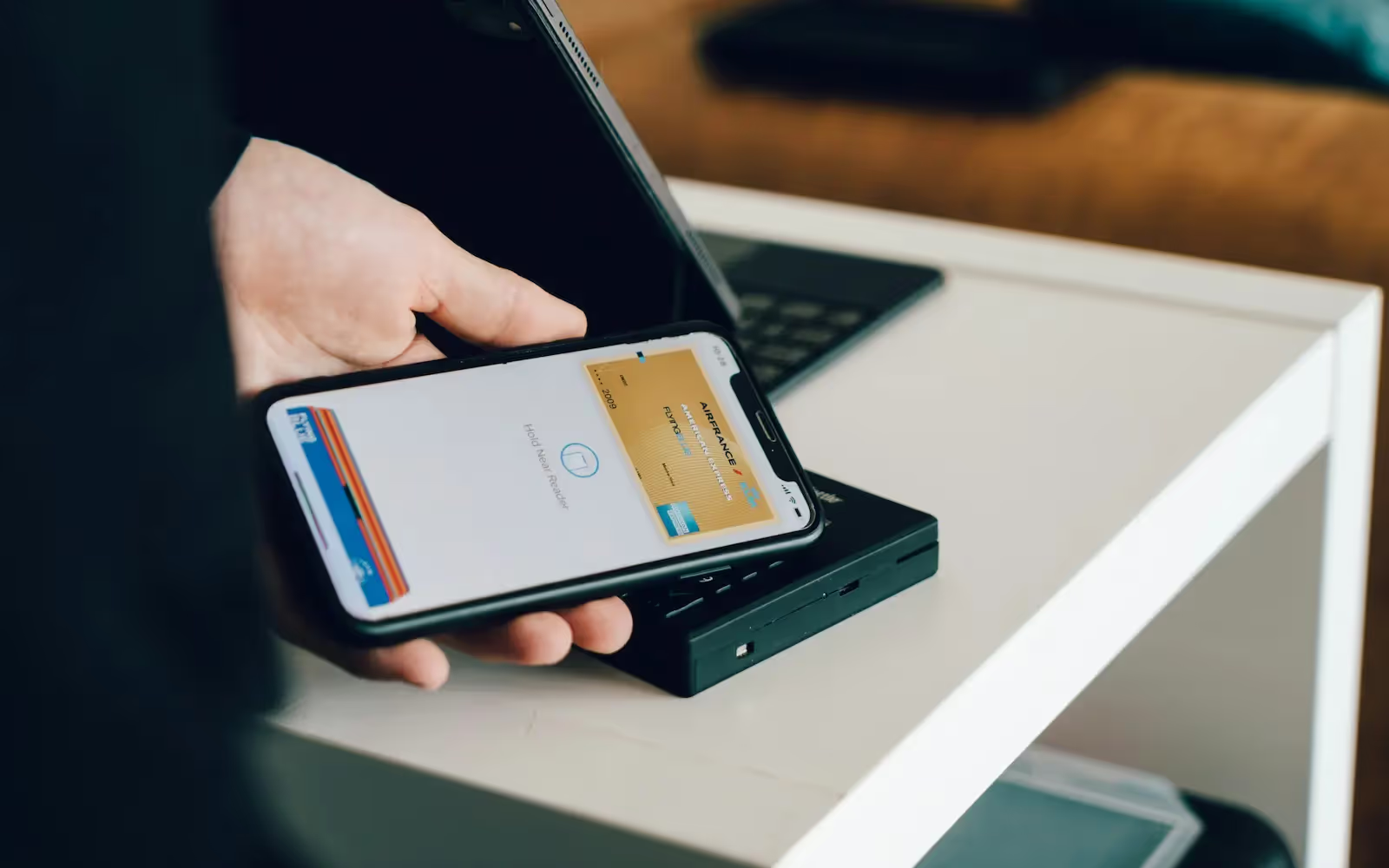
Open the Kudos app on the web or mobile, and you'll see nearby stores, restaurants, and places around you, along with exactly which card to use at each one. No guessing at the register. No grabbing the wrong card out of habit. Just open the app and know.
It works across dining, groceries, gas stations, retail, and more.
To see the Location Cheatsheet, make sure you're on the latest version of the Kudos app — available on iOS and Android — then allow location access when prompted.

How It Works
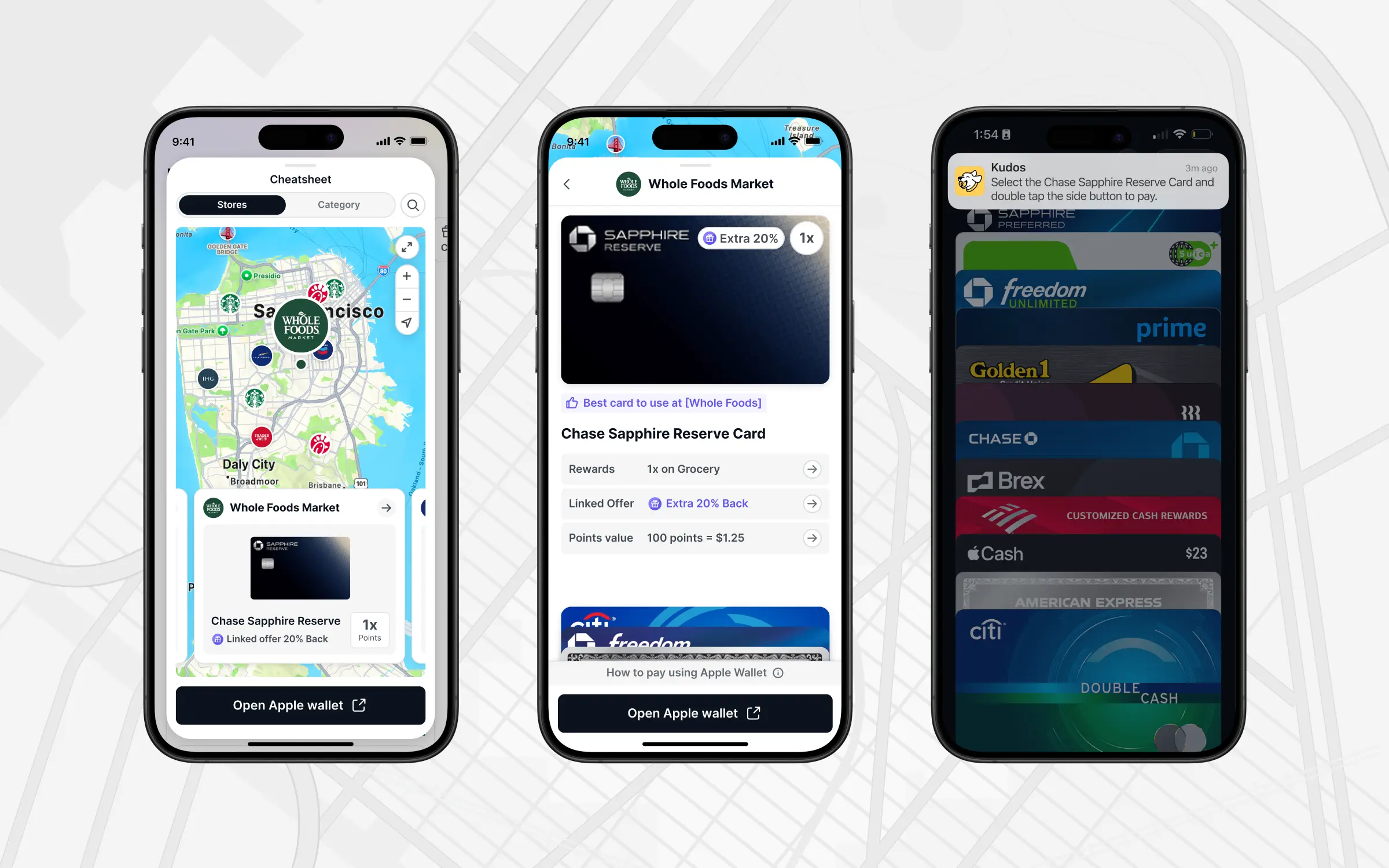
- Update your Kudos app: grab the latest version from the App Store or Google Play and allow location access when prompted
- Open the Kudos app anywhere: at the mall, grabbing lunch, filling up your tank
- See what's around you: Kudos shows nearby places based on your current location
- Pick the right card: for each place, Kudos tells you which card earns the most rewards there
No setup. No manual input. It just works.
Put It on Your Home Screen
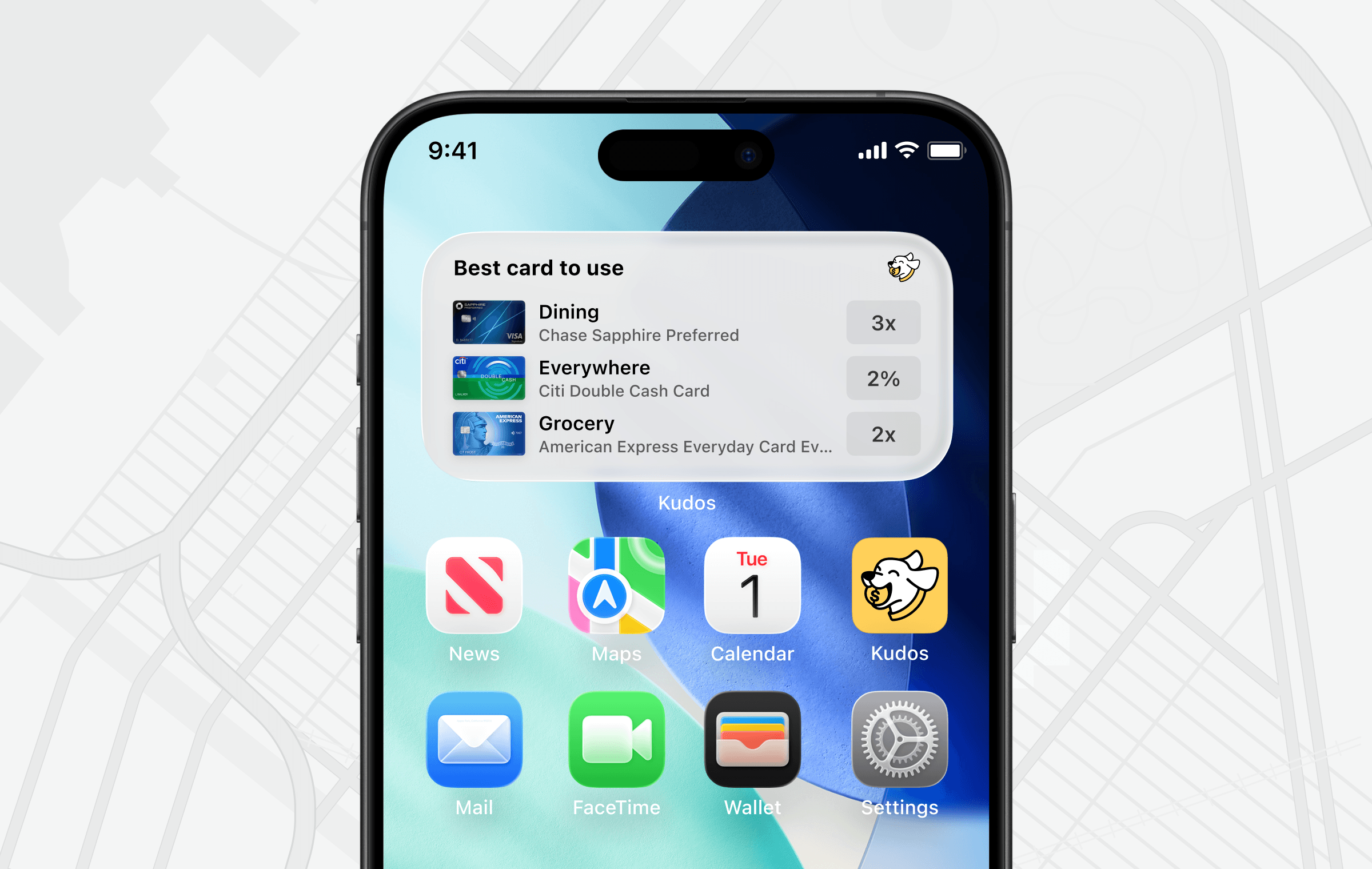
Don't even want to open the app? Add the Kudos widget to your home screen and your best card for wherever you are is right there the second you pull out your phone. In the checkout line, walking in the door, wherever.
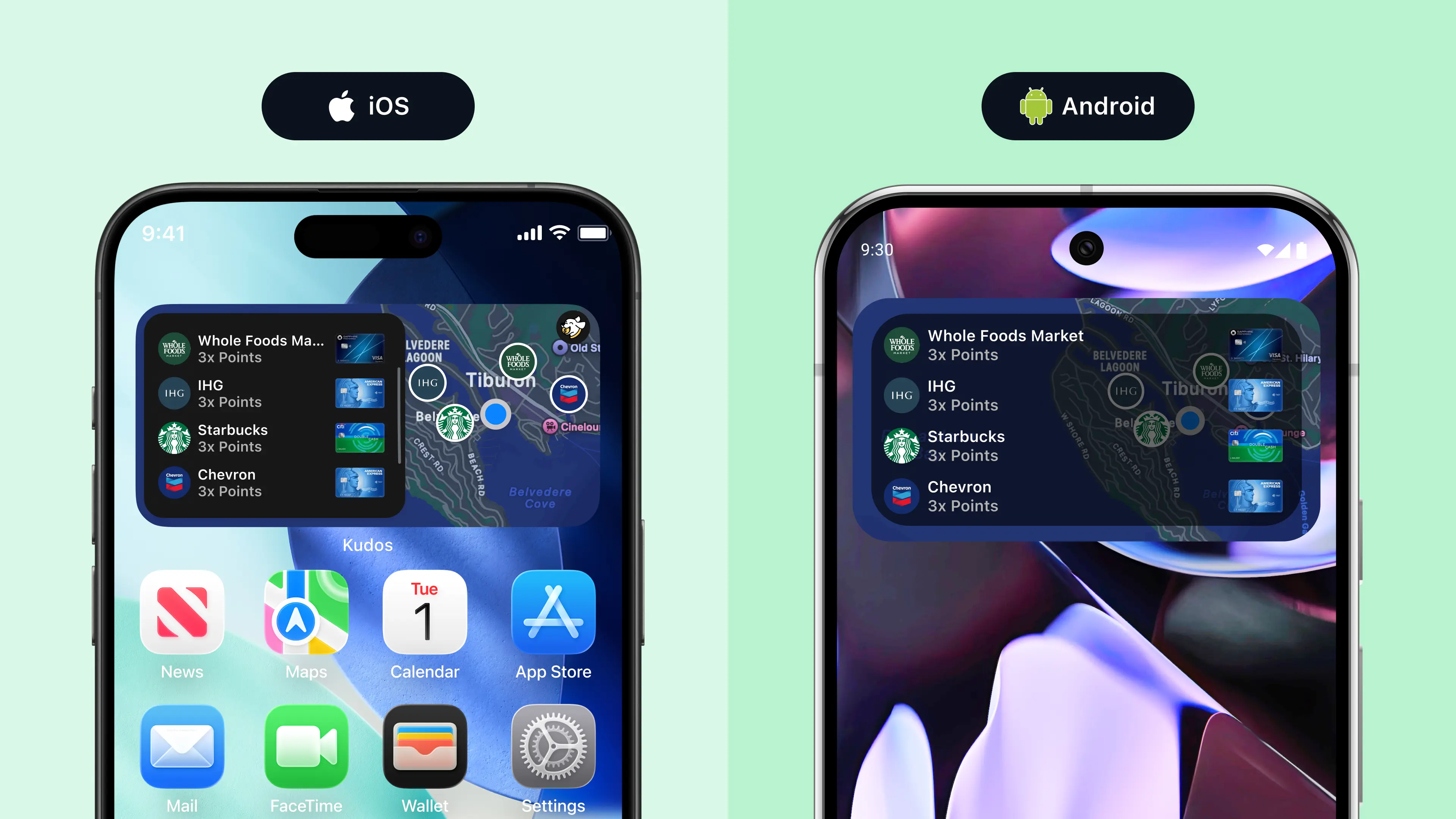
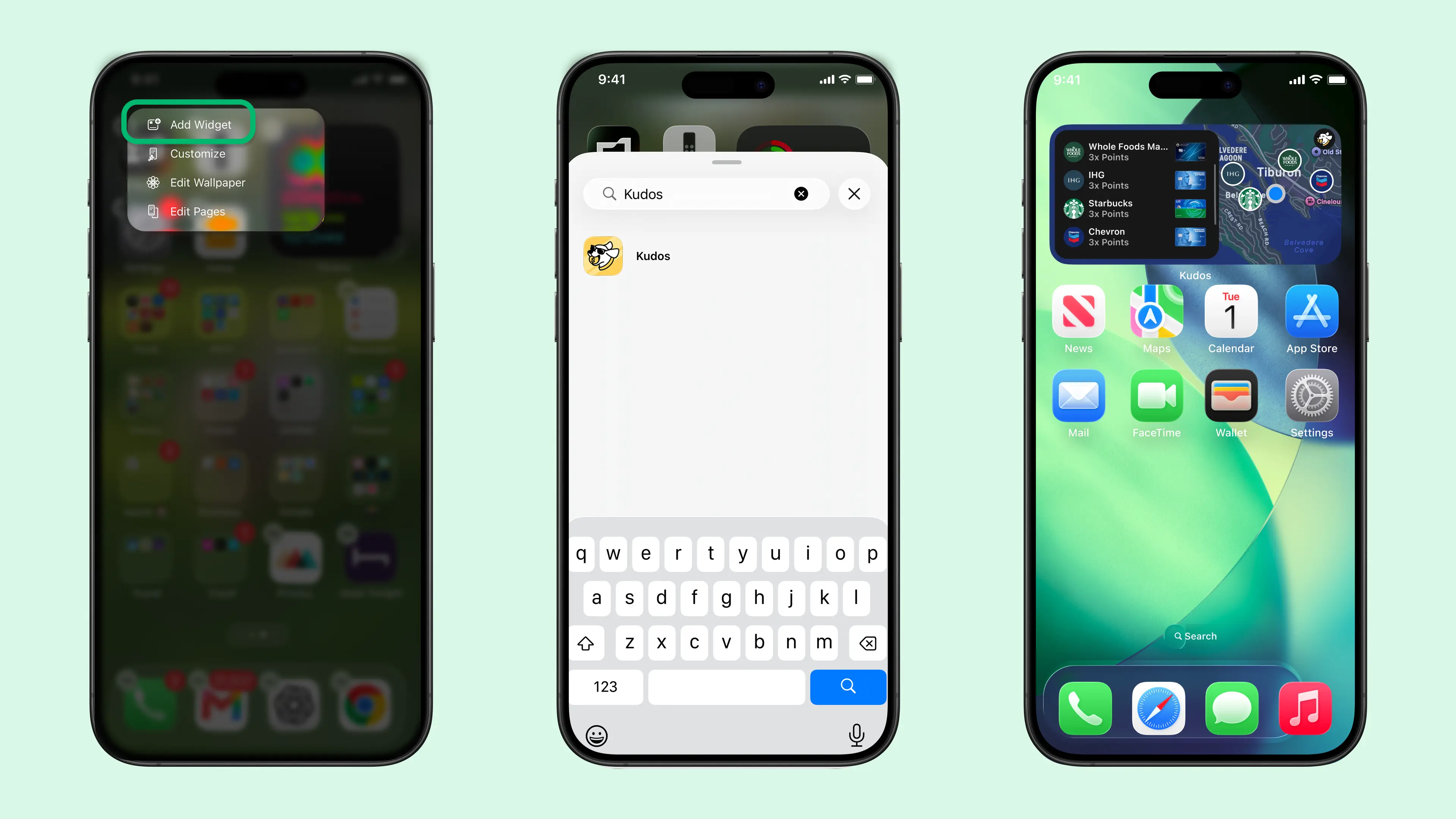
On iPhone: Touch and hold an empty area of your Home Screen until your apps jiggle, tap Edit in the upper-left corner, then tap Add Widget. Search for Kudos, then swipe to choose your view, like best card nearby or best card by category (dining, groceries, gas, and more), and pick your size. Tap Add Widget, then tap Done. For more help, see Apple's full widget guide.
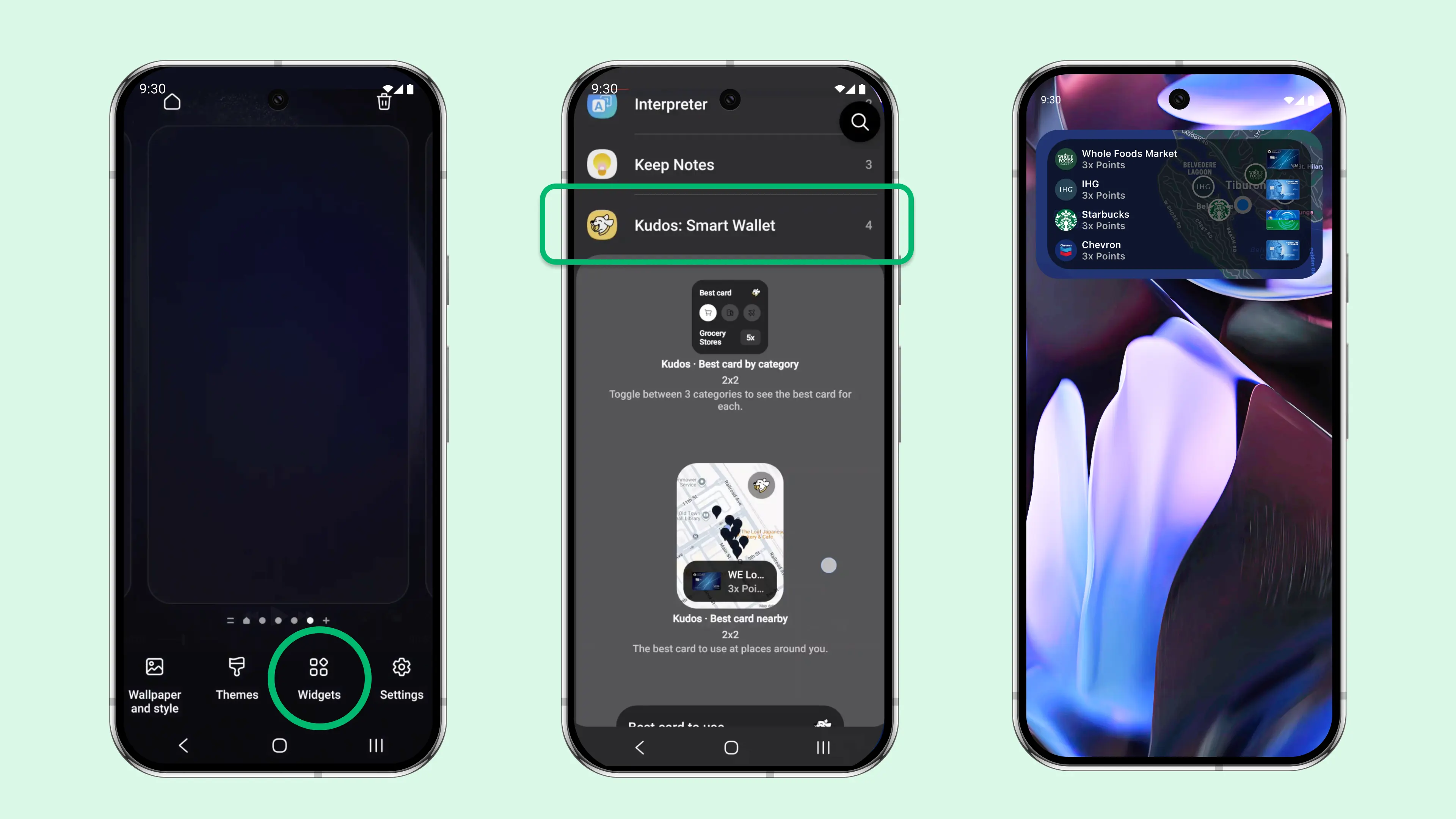
On Android: Touch and hold an empty area of your home screen, then tap Widgets. Scroll to find Kudos, touch and hold the widget, then drag it where you want it. Release to place it and follow the prompts to allow location access. See Google's full widget guide →

The Online Cheatsheet Isn’t Going Anywhere
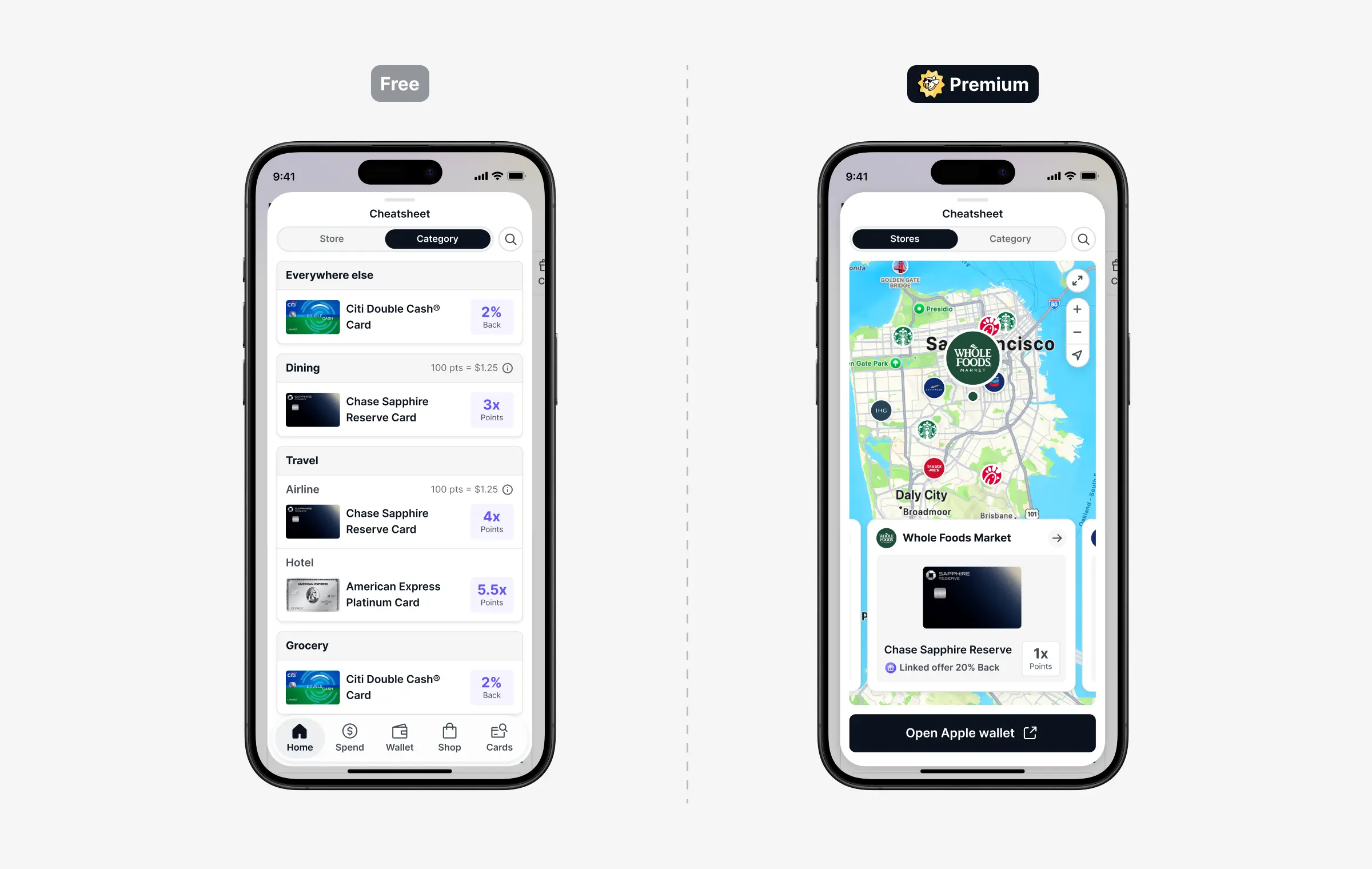
You can still search any store, website, or category to find your best card for online shopping across more than 2 million sites. Think of it as two modes now:
- Online Cheatsheet: search any merchant or category for online shopping. Always free.
- Location Cheatsheet: real-time card recommendations based on where you are right now. Available with Kudos Premium.
Why We Built This
Most spending still happens in real life. Groceries, dinners out, coffee runs, weekend errands. The Cheatsheet was always about making sure you never have to think about which card to use. Now it does that everywhere.
Everything You Unlock with Kudos Premium
The Location Cheatsheet is part of Kudos Premium, which also includes:
- 1.25x more Kudos Boost: Premium members earn 1.25x the standard Boost rate on every eligible purchase at 15,000+ partner stores. A 10% Boost rate becomes 12.5%, and it applies to Flash Boost sales and Deal of the Day too.
- Benefits Tracker: track every credit on every card so you know exactly what you have left to use before it expires.
- AI Bill Negotiation: Kudos sends an AI agent to negotiate your phone, internet, and cable bills directly with your provider. No hold music, no phone trees. You keep 100% of whatever is saved. Tikue Anazodo, our co-founder and CEO, saved $840 on his T-Mobile bill alone.
- Kudos AI: ask anything about your spending, cards, and bills. It knows your full financial picture and gives you answers that actually matter.
- Card Offer Auto-Activation: Kudos automatically activates your Amex, Chase, Citi, Bank of America, and Wells Fargo offers every time you visit your issuer portals. Never miss savings you already have.
- Subscription Tracking and Cancellation: see every recurring charge across all your accounts and cancel the ones you don't want with one tap.
- Welcome Bonus Tracking: enter your spending target, and Kudos tracks your progress with alerts when you're getting close to the deadline.
Premium members save an average of $324 a year on bills and earn an extra $750 a year from card-linked offers. That's $1,074 in average annual savings. You'd be in good company, too: over 500,000 Kudos members are already swiping smarter.
Kudos Premium is available as an annual plan or as a one-time Lifetime purchase. See joinkudos.com for current pricing.
First-time yearly members are covered by our 90-Day Money-Back Guarantee. Premium is built to pay for itself, and we track the value you gain so you always have a clear picture. Here's exactly how it works:
- Who's eligible: first-time Kudos Premium yearly subscribers. The guarantee doesn't apply to legacy monthly plans or Lifetime purchases.
- What qualifies: if your verified savings and earnings through Kudos (Boost rewards, card-linked offer savings, and bill negotiation savings) are less than your annual subscription cost during your first 90 days.
- When to claim: email support@joinkudos.com with the subject line "Money-Back Guarantee Request" between day 90 and day 120 of your subscription. Claims can't be submitted before day 90 or after day 120.
- How you're refunded: the full value of your annual subscription is issued as Kudos Boost credits, redeemable via PayPal or as an Amazon gift card. Because subscriptions are billed through Stripe, Apple, or Google, we can't send the refund back to your original payment method. The usual PayPal processing fee is waived for guarantee redemptions.
Full details are in our Terms of Service.
Upgrade to Kudos Premium
You already know which card to use online. Now you'll know in the parking lot too!
Already a Premium member? The Location Cheatsheet is live in your app today. Just update to the latest version of the app and you're set.

FAQ
Do I need Kudos Premium to use the Location Cheatsheet?
Yes. The Location Cheatsheet is a Premium feature, included with annual and Lifetime plans. The Online Cheatsheet remains free for everyone.
Is my location stored or shared?
No. Your location is used solely to identify nearby merchants and show card recommendations. It isn't stored or shared.
Why don't I see the Location Cheatsheet in my app?
Make sure you've updated to the latest version of the Kudos app and that location permissions are enabled for Kudos in your device settings. If you're a Premium member on the latest version and still don't see it, reach out to support@joinkudos.com.
Is it available on Android?
The Location Cheatsheet requires the latest version of the Kudos app, and the home screen widget is now available in Kudos for Android.
Does the widget require Premium too?
Yes. The widget surfaces Location Cheatsheet recommendations, so it's part of Kudos Premium.
Which categories does it cover?
Dining, groceries, gas, retail, and more, plus it flags any card-linked offers you have at nearby places so you can stack savings. You already know which card to use online. Now you'll know in the parking lot too!
Unlock your extra benefits when you become a Kudos member



Turn your online shopping into even more rewards


Join over 500,000 members simplifying their finances


Editorial Disclosure: Opinions expressed here are those of Kudos alone, not those of any bank, credit card issuer, hotel, airline, or other entity. This content has not been reviewed, approved or otherwise endorsed by any of the entities included within the post.

.webp)




.webp)