





Kudos has partnered with CardRatings and Red Ventures for our coverage of credit card products. Kudos, CardRatings, and Red Ventures may receive a commission from card issuers. Kudos may receive commission from card issuers. Some of the card offers that appear on Kudos are from advertisers and may impact how and where card products appear on the site. Kudos tries to include as many card companies and offers as we are aware of, including offers from issuers that don't pay us, but we may not cover all card companies or all available card offers. You don't have to use our links, but we're grateful when you do!

Kudos Now Finds Better Deals on the Exact Item You're Shopping For
September 11, 2026
.webp)


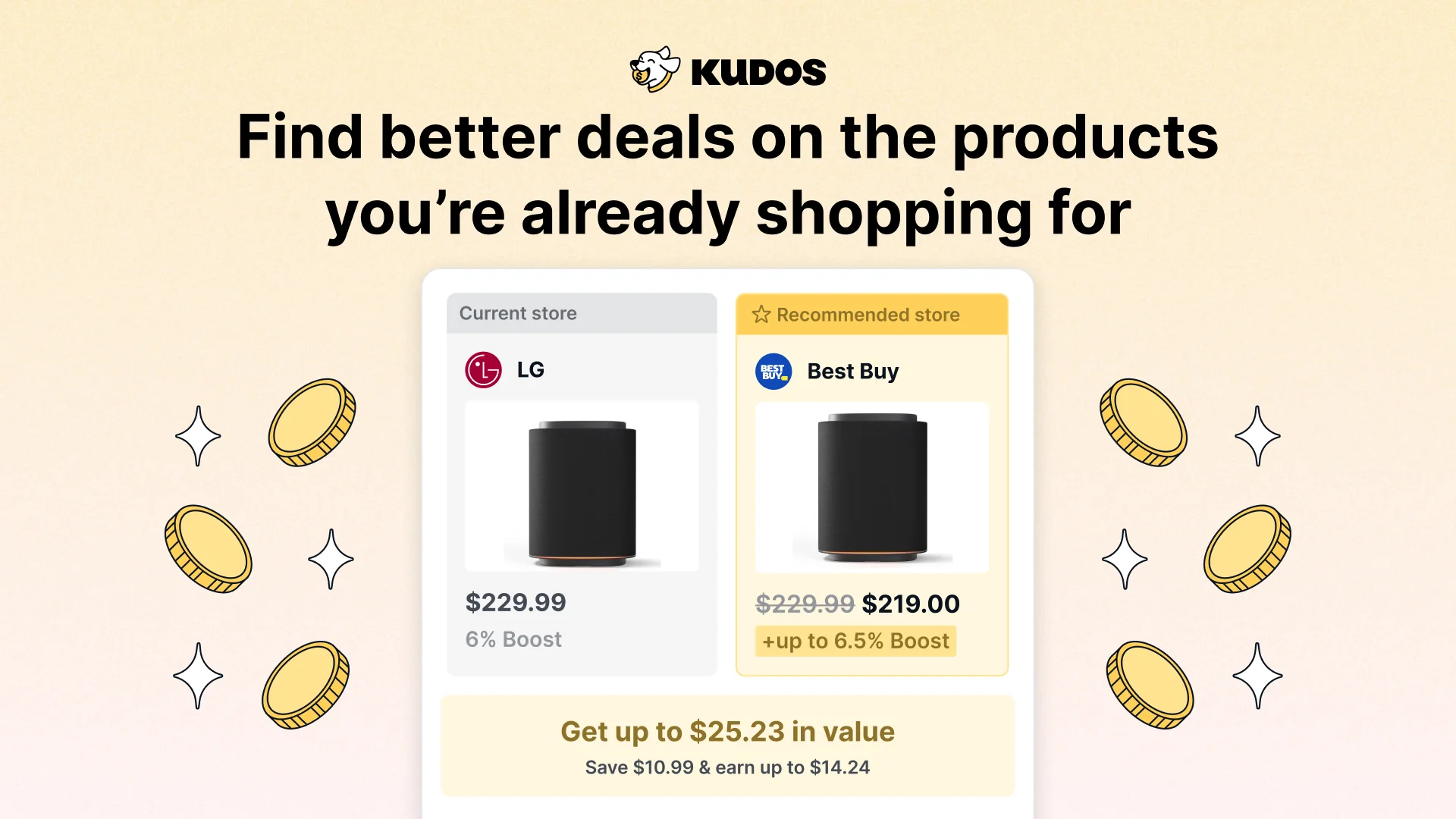
You find the exact pair of sneakers you want, in your size, in the color you like. What you usually can't see is that another store has the same pair for less, or pays you more cashback on it, or both. Starting today, Kudos tells you.
When the exact item you're looking at online is a better value somewhere else, Kudos shows you how much better off you'd be and takes you straight to that product in one tap. When there's nothing better, Kudos stays out of the way.
What Does the New Kudos Feature Do?
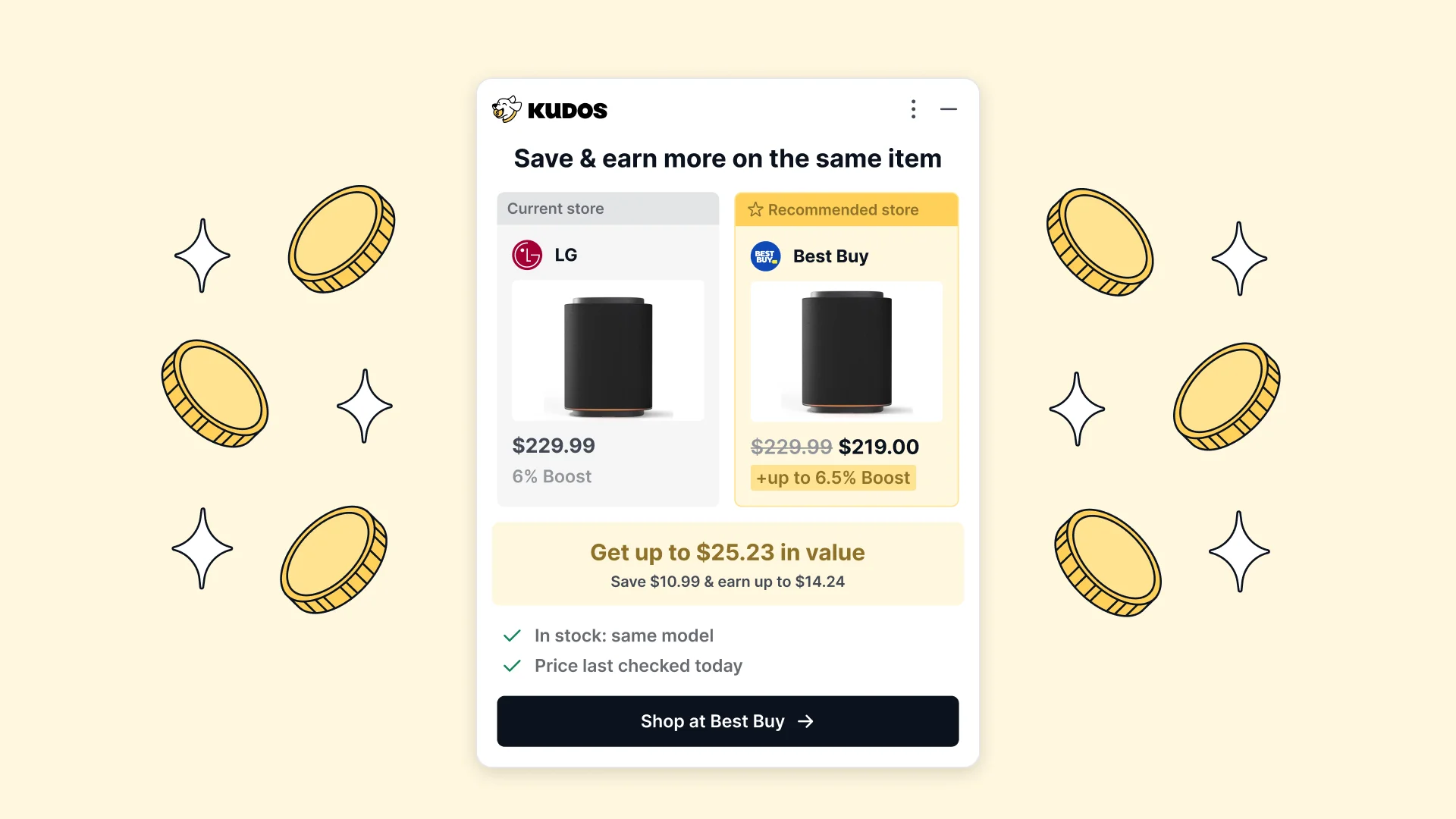
While you browse a product page, Kudos checks whether the same item is available at a store where you'd come out ahead. "Ahead" can mean three things:
- A lower price on the same product.
- More Kudos Boost cashback at the other store than you'd earn where you are.
- Both, a lower price plus more Boost.
If one of those is true, a Kudos prompt shows your current store next to the recommended store, the price and Boost at each, the total value you'd gain, and a button that opens the matching product page.
New to Kudos Boost? It's cashback from Kudos that stacks on top of your card rewards. Learn how Kudos Boost works.

How Does Kudos Know It's the Same Item?
Most shopping extensions that promise a better price hand you a list of "similar" products. You click through and land on the wrong size, a different model year, a version in another color, or a page that says out of stock.
Kudos only suggests an alternative when it can confirm a real match:
- Same product. The identical item, matched at the product level.
- Same variant. Your size, color, or model where that information is available.
- In stock. Kudos confirms the other store actually has it.
If Kudos can't confirm all of that, you won't see a prompt. A missed suggestion costs you nothing. A wrong one wastes your time, so Kudos errs on the side of staying quiet.

Once you land on the better store, Kudos also shows which of your cards earns the most there, so your card rewards stack on top of any Boost you earn.
Card-linked offers can stack on top, too. Kudos Premium activates them for you automatically. See how auto-activation works.
How Does Kudos Decide a Deal Is Actually Better?
Kudos compares what you were about to pay against the total value somewhere else. That total includes the price and any Boost you can earn at the other store. You only see an alternative when the math works in your favor.
Here's a hypothetical example. You're looking at a jacket for $120 at a store with no Boost. The same jacket, same size, is $118 at another store that offers 5% Boost.
- Boost earned: 5% of $118 is $5.90
- Effective cost after Boost: $118 minus $5.90 is $112.10
- You come out ahead by $7.90 on the same jacket
Calculation formulated by Kudos, based on a hypothetical price and Boost rate for illustration. Actual prices and Boost rates vary by store and change over time.
The Boost rate you see is the one available to you. Kudos Premium members see their Premium rate, and free members see the free rate. Kudos only uses words like "save" or "cheaper" when the price and cashback support it.
Wondering how Kudos compares to other cashback tools? The biggest difference is what happens at checkout. Read Kudos vs. Rakuten.
What Happens When You Tap Through?
One tap opens the exact product page at the other store, with your matched item ready to add to your cart. You won't land on a search results page and have to find it again. When the page opens, Kudos shows the Boost you can earn at that store. Tap Activate Boost before you check out, and your cashback is earned on top of your card rewards. If you'd rather stay where you are, dismiss the prompt and keep shopping. Kudos won't keep showing you the same suggestion for that item during your session.
How to Turn On Kudos Better Deals
This feature runs through the Kudos browser extension. If you already have the extension, there's nothing new to install. It's live for anyone with the Kudos extension.
On iPhone
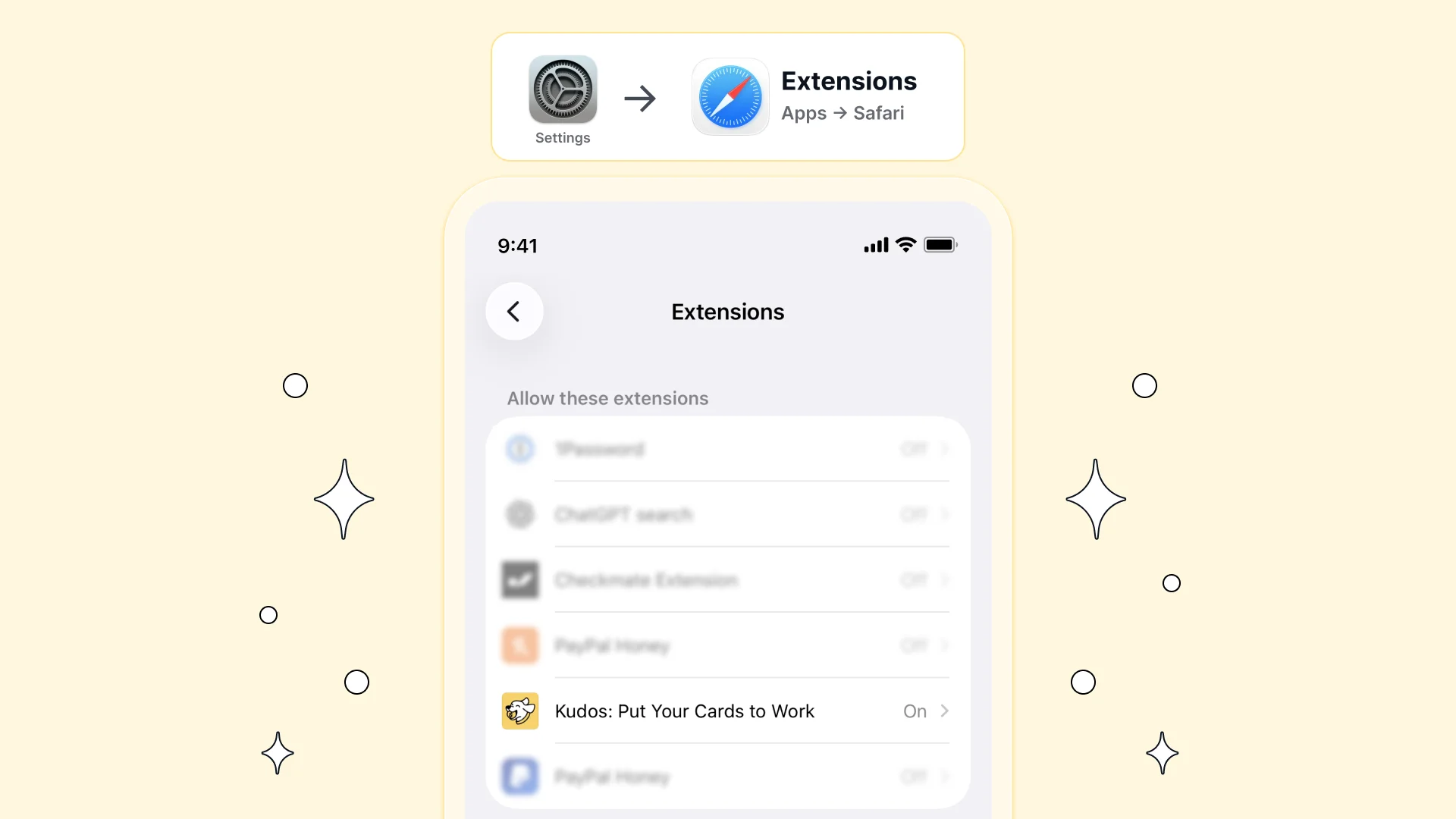
If you have the Kudos app, the extension is already on your phone. You just need to switch it on in Safari:
- Open Settings on your iPhone.
- Scroll to Safari, then tap Extensions.
- Find Kudos and toggle it on.
On Desktop
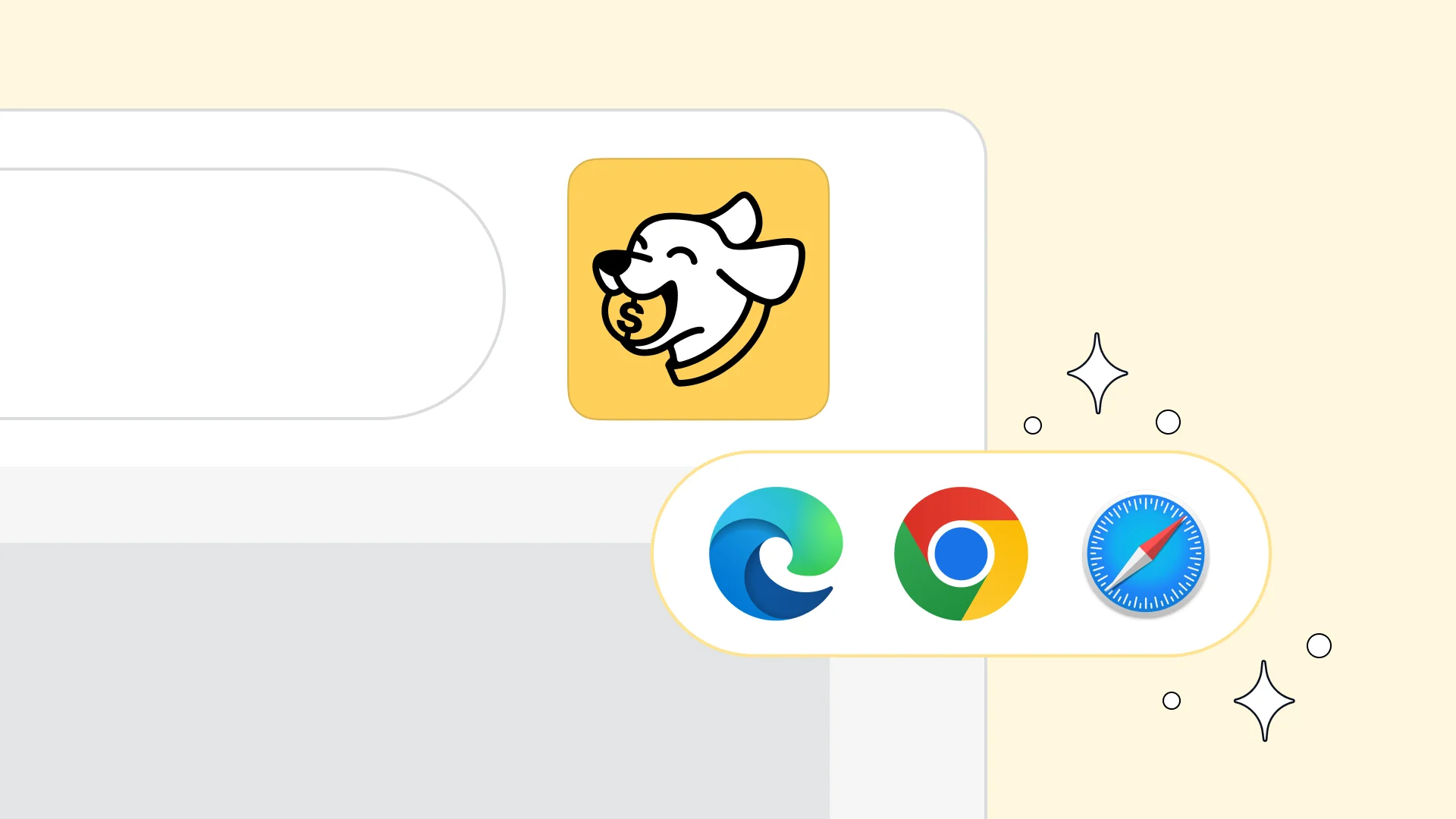
Add the Kudos extension to your browser and you're set. It's available for Chrome and Edge and for Safari on Mac.
Stack It With the Rest of Your Kudos Wallet
Finding a better store is the first layer. Kudos adds more on top once you're there:
- Kudos Boost. Cashback at thousands of stores, earned on top of your card's own rewards. Cash it out to PayPal or Amazon.
- Best card at checkout at over 2 million stores. Kudos recommends which card in your wallet earns the most for each purchase.
- Card-linked offer auto-activation. Premium members get their Amex, Chase, Citi, Bank of America, and Wells Fargo offers activated automatically.
- Benefits Tracker. Every credit and perk across your cards in one place, with progress toward each one.
- Subscription cancellation and bill negotiation. Premium tools that find forgotten charges and lower recurring bills.
- Kudos AI. Ask about your spending, subscriptions, or which card to use.
- Geolocation Cheatsheet. Know which card in your wallet earns the most at the restaurant, gas station, or store you're standing in. Your card-linked offers are factored into the recommendation, too.
Want all of it? See what's included in Kudos Premium, which comes with a 90-day savings guarantee: if Premium doesn't save you more than you paid in your first 90 days, you can request a refund between day 90 and day 120.

FAQ
Is this Kudos feature free?
Yes. It's available to anyone with the Kudos browser extension. Premium members may see higher Boost rates at some stores, and Kudos shows each member the rate available to them.
Does Kudos show similar products or only the exact item?
Only the exact item. Kudos matches the same product and, where available, the same size, color, or model, and confirms it's in stock before showing a suggestion.
Why didn't Kudos show me a better deal?
Either there wasn't a better option for that item, or Kudos couldn't confirm an exact, in-stock match. Kudos only shows a suggestion when you'd come out ahead on price, Boost, or both.
How do I earn Boost after I tap through?
When the product page opens, tap Activate Boost in the Kudos prompt, then complete your purchase normally. The Boost is credited to your Kudos account.
Does it work on my phone?
Yes, in Safari on iPhone. If you have the Kudos app, turn on the Kudos extension under Settings, then Safari, then Extensions.
The Bottom Line
Kudos now checks whether the exact item you're shopping for is a better buy somewhere else, counting both price and Boost. It only speaks up when you'd come out ahead, and one tap takes you straight to the product.
If you have the Kudos extension, it's already working. If you don't, add it on desktop or get the Kudos app and switch it on in Safari.
Unlock your extra benefits when you become a Kudos member



Turn your online shopping into even more rewards


Join over 400,000 members simplifying their finances



Editorial Disclosure: Opinions expressed here are those of Kudos alone, not those of any bank, credit card issuer, hotel, airline, or other entity. This content has not been reviewed, approved or otherwise endorsed by any of the entities included within the post.


.webp)