





Kudos has partnered with CardRatings and Red Ventures for our coverage of credit card products. Kudos, CardRatings, and Red Ventures may receive a commission from card issuers. Kudos may receive commission from card issuers. Some of the card offers that appear on Kudos are from advertisers and may impact how and where card products appear on the site. Kudos tries to include as many card companies and offers as we are aware of, including offers from issuers that don't pay us, but we may not cover all card companies or all available card offers. You don't have to use our links, but we're grateful when you do!

Kudos Auto-Activation Just Got Smarter: Save Your Login, Skip the Clicking
September 27, 2026
.webp)


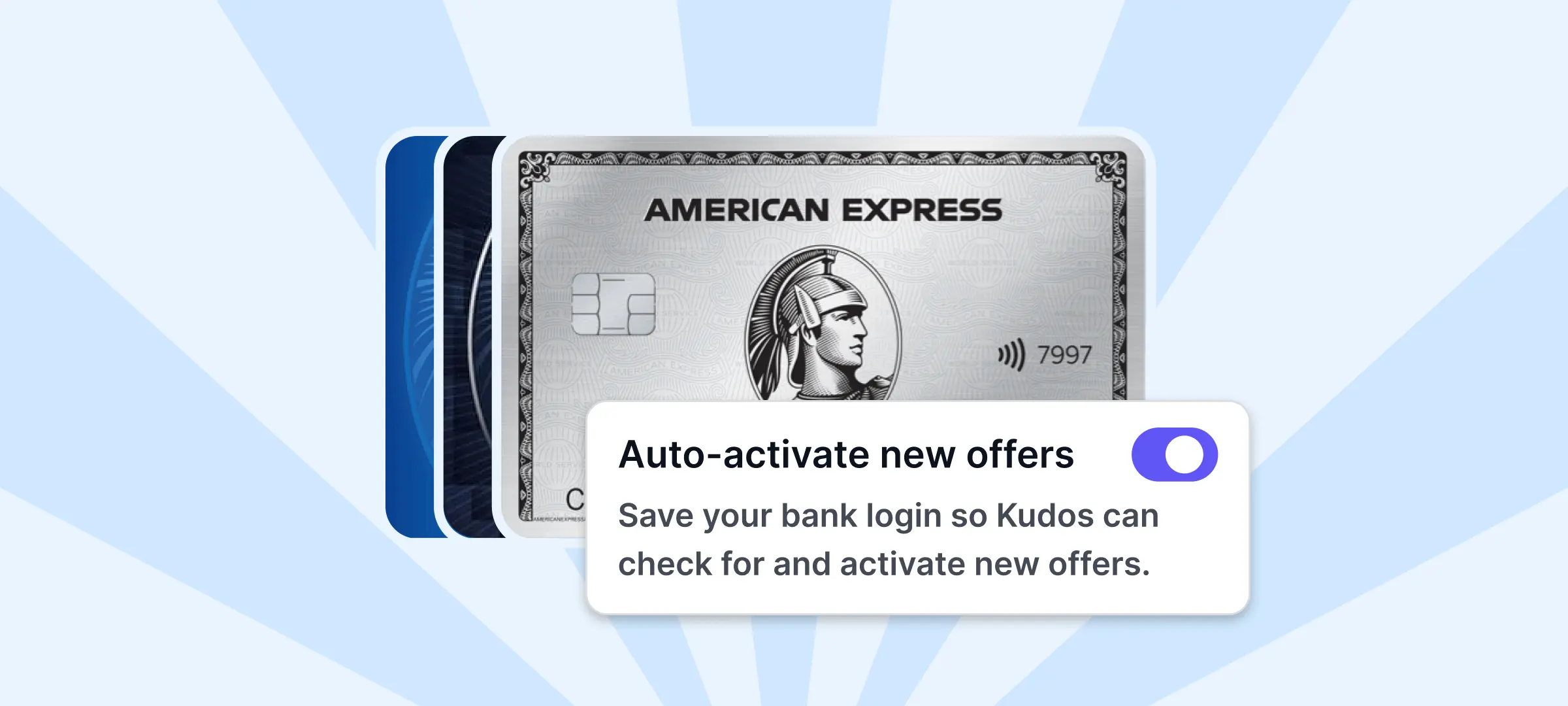
Your credit cards are quietly sitting on hundreds of dollars in offers you're probably not using. Kudos Premium just made claiming them completely automatic.
The Problem With Card-Linked Offers
Card-linked offers (CLOs) are some of the best deals in your wallet: think 4% back at Amazon, 10% off at Whole Foods, $20 back at Sephora, or 15% cashback at Target. These aren't random coupons. They're personalized offers your card issuer builds around how you actually shop.
The catch is that almost nobody uses them. They're scattered across separate Amex, Chase, Citi, Bank of America, and Wells Fargo portals; they expire and refresh every few days, and every single one has to be clicked on manually to activate. Multiply that across a few cards and a few dozen offers, and most people just give up and leave the money on the table.
Kudos users who stay on top of their offers earn an extra $700 a year on average. That's the gap auto-activation is built to close.

How Auto-Activation Works
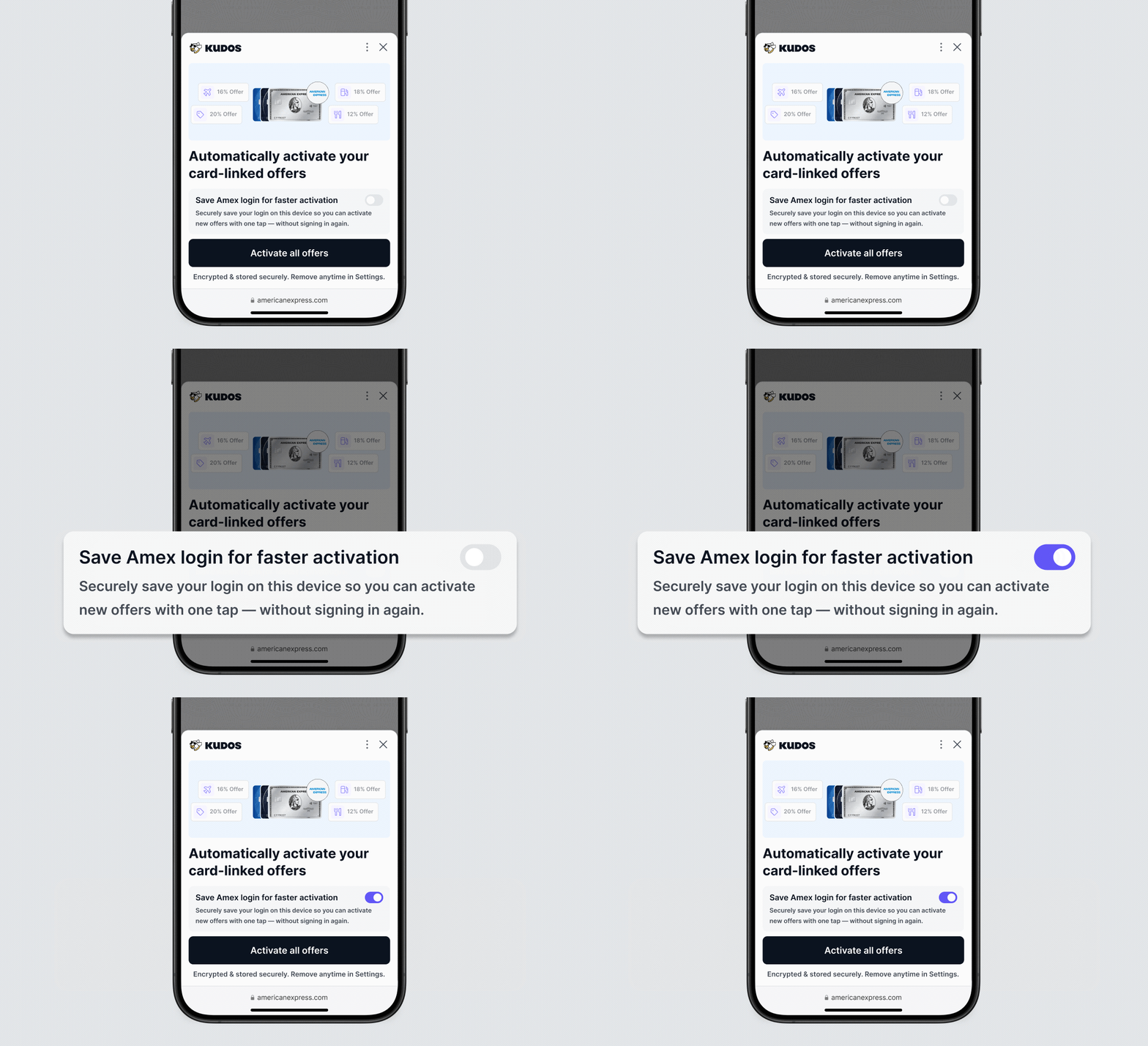
The setup is simple: save your card issuer login with Kudos once, and Kudos takes it from there.
Your username and password are protected with zero-knowledge encryption, meaning they're encrypted on your own device before Kudos ever sees them. No one at Kudos, including our own team, can view or access your credentials. They're used for exactly one purpose: logging into your issuer portal to activate offers on your behalf.
Setup currently needs to happen separately on each device, and the experience is a little different depending on where you're doing it.

On Desktop
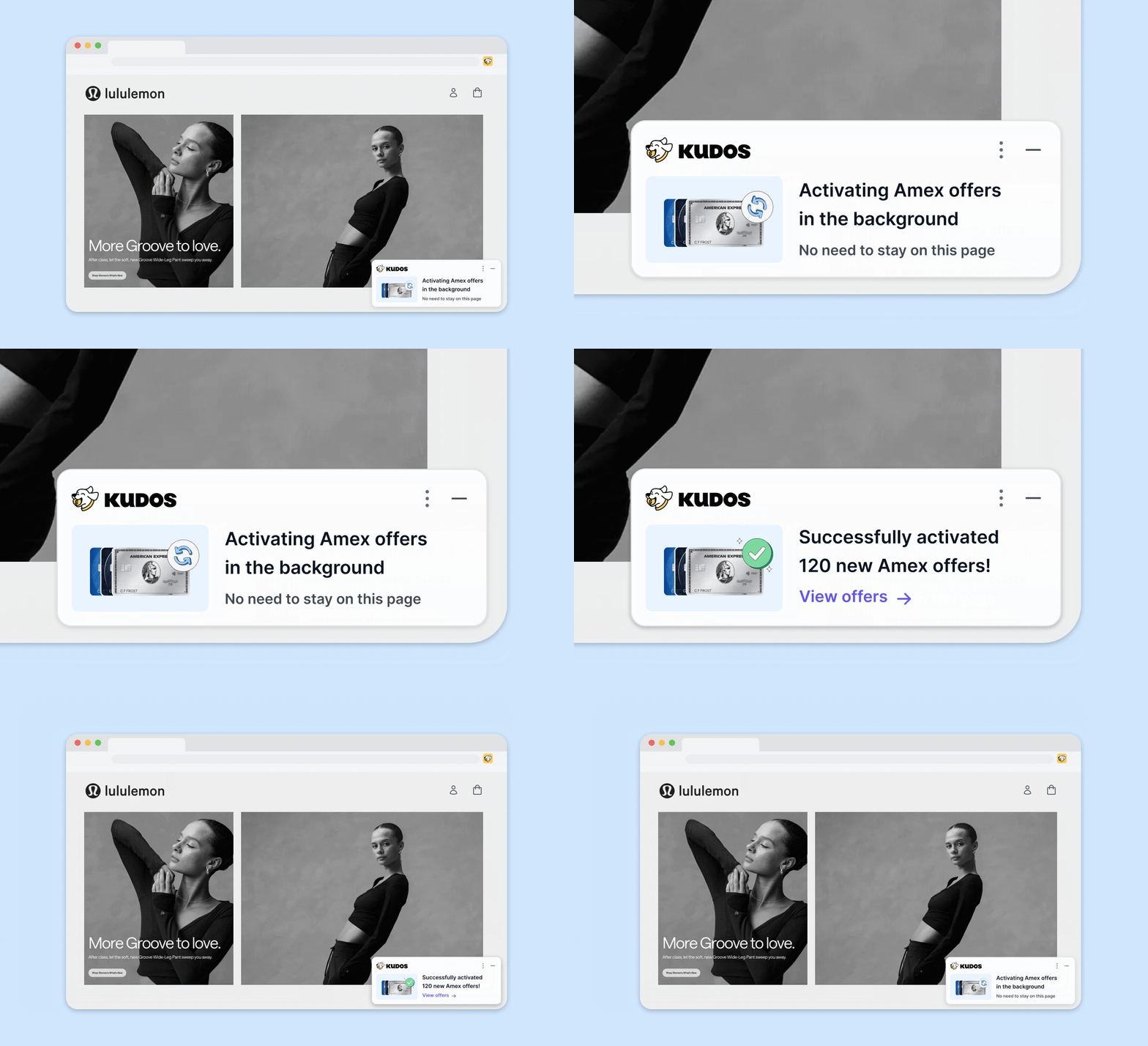
Once your login is saved, Kudos activates your offers automatically in the background whenever there are new ones to grab. You don't need to babysit the process or even stay on the page. If you're browsing a retailer's site with the Kudos extension installed, you'll see a quiet notification letting you know Kudos is activating offers behind the scenes so you can keep shopping.

For your very first activation, we recommend starting on desktop with the Kudos browser extension (available on Chrome, Edge, and Safari). Visit your issuer's portal while logged in, and Kudos will detect and activate every available offer for that card. Note that Kudos may briefly open your issuer portal in a new window to complete the activation. That's expected and part of how the automation works.
On Mobile
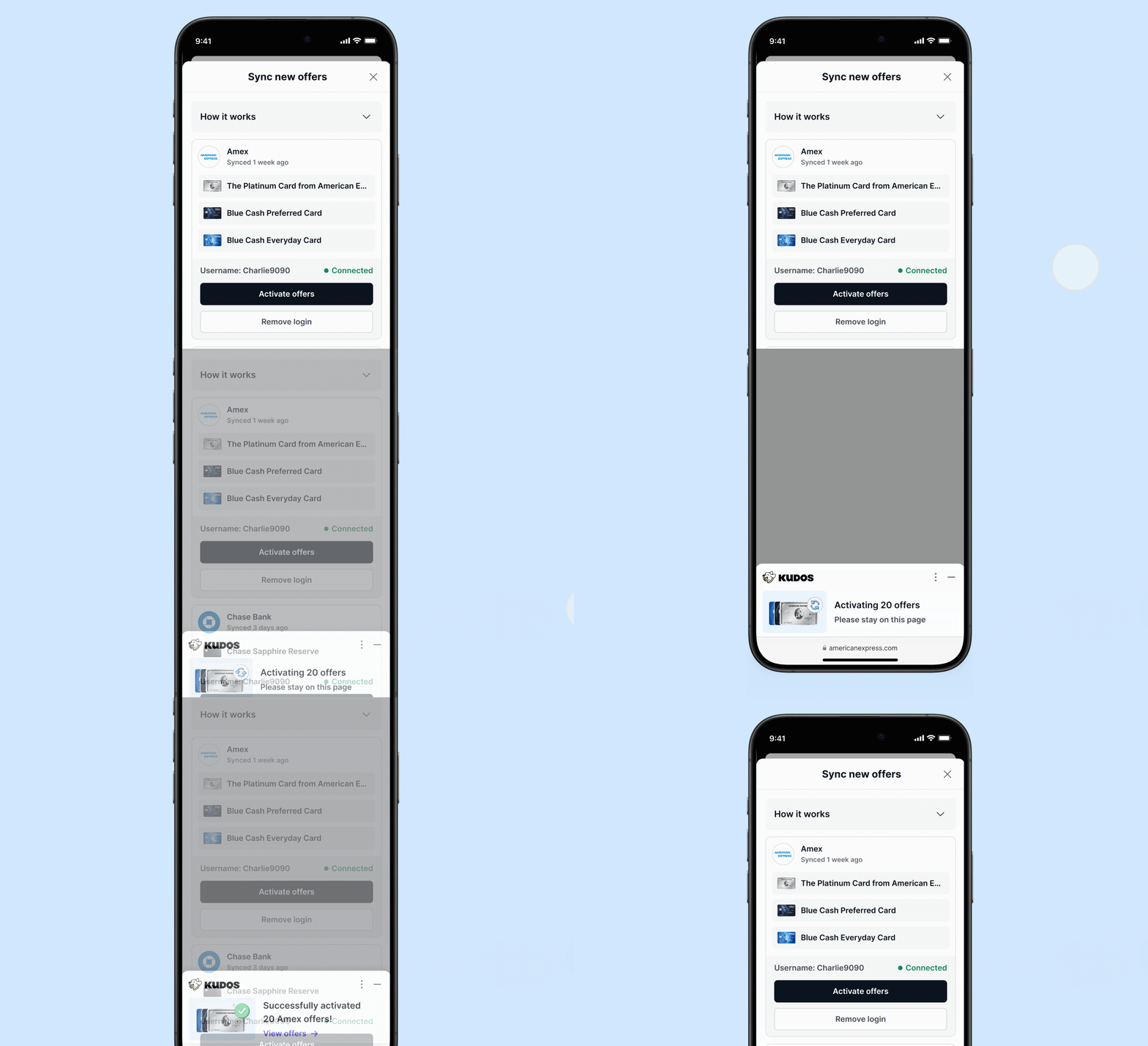
On mobile, saving your login turns activation into a single tap. Open the "Sync new offers" screen in the Kudos app, and you'll see each connected card issuer along with its available offers and when they were last synced. Tap "Activate offers," and you're done. No scrolling through individual tiles required.
Which Cards Are Supported
Auto-activation currently works with:
- American Express
- Chase
- Citi
- Bank of America
- Wells Fargo
Capital One support is coming soon.
Why This Matters
CLOs stack on top of your card's normal rewards rate, so a 20% activated offer beats even the best flat cashback card every time. The problem was never that the offers weren't valuable. It was that keeping up with activation across five different bank websites, every few days, indefinitely, isn't something most people have the bandwidth for.
Auto-activation removes that friction entirely. Save your login once per device, and Kudos keeps checking for and activating new offers so you're never leaving free money unclaimed because you forgot to log in and click a button.

Auto-Activation Is Just One Part of Kudos Premium
Auto-activation is available to every Kudos Premium member, but it's only one piece of what Premium does for your wallet. Once you're in, you also get:
- AI bill negotiation. Kudos sends an AI agent to negotiate your phone, internet, cable, and home security bills directly with your provider, no hold music required. You keep 100% of whatever it saves.
- Benefits Tracker. See every credit and perk across your cards in one place, with real-time progress bars, step-by-step redemption instructions, and an annual fee vs. value breakdown so you know which cards are actually worth keeping.
- Location Cheatsheet. Open the app anywhere - restaurants, gas stations, grocery stores - and see exactly which card to use on the spot.
- Kudos AI. Ask your personal financial assistant anything about your spending, subscriptions, cards, or which offers you should activate before they expire.
- Subscription tracking and cancellation. Kudos flags unwanted recurring charges and cancels them on your behalf with one tap.
Together, these turn Kudos from a "which card should I use" tool into something that actively works in the background to save you money, auto-activation included.
Free for everyone: Kudos now tells you when the exact item you're shopping for is a better deal at another store. See how it works.
FAQ
What are card-linked offers?
Card-linked offers are discounts and cashback deals issued directly by your credit card company, tied to specific merchants. They typically offer 10 to 30% savings at brands you already shop at and are personalized based on your spending habits rather than generic and one-size-fits-all.
How does Kudos help with card-linked offers?
Without Kudos, you'd need to manually click through offer tiles across every issuer's website, often every few days as new offers roll in. With auto-activation, Kudos detects and activates your available offers automatically on desktop, and reduces mobile activation to a single tap.
Is my banking login safe with Kudos?
Yes. Your credentials are encrypted on your device with zero-knowledge encryption before they're ever stored, so they're inaccessible to Kudos or our servers. They're used solely to activate your card-linked offers.
How do I set it up?
We recommend completing your first activation on desktop using the Kudos browser extension for the most reliable experience. Install the extension, visit your issuer's portal while logged in, and Kudos handles the rest. On mobile, save your login in the app and future activations are one tap.
Which cards work with auto-activation?
American Express, Chase, Citi, Bank of America, and Wells Fargo, with Capital One support on the way.
Unlock your extra benefits when you become a Kudos member



Turn your online shopping into even more rewards


Join over 500,000 members simplifying their finances



Editorial Disclosure: Opinions expressed here are those of Kudos alone, not those of any bank, credit card issuer, hotel, airline, or other entity. This content has not been reviewed, approved or otherwise endorsed by any of the entities included within the post.
.webp)