








Kudos has partnered with CardRatings and Red Ventures for our coverage of credit card products. Kudos, CardRatings, and Red Ventures may receive a commission from card issuers. Kudos may receive commission from card issuers. Some of the card offers that appear on Kudos are from advertisers and may impact how and where card products appear on the site. Kudos tries to include as many card companies and offers as we are aware of, including offers from issuers that don't pay us, but we may not cover all card companies or all available card offers. You don't have to use our links, but we're grateful when you do!

Apple Card Now Works With Kudos: How to Connect It on Your iPhone
September 27, 2026


The content on this page is accurate as of the posting date; however, some of the offers mentioned may have expired.
You can now connect your Apple Card to Kudos. Once it's linked, every Apple Card purchase shows up in your Kudos feed next to the rest of your cards, and setup takes about a minute on your iPhone.
Apple Card support has been one of the most requested features from Kudos members. Below, we cover why it took a different approach to build, what you get once you connect, and the exact steps to link your card.

Why Couldn't You Connect Apple Card to Kudos Before?
For years, Apple Card didn't work with the bank-linking services most financial apps use to pull in card transactions. If you carried an Apple Card alongside other cards, your Kudos spending picture had a gap in it.
That gap came up again and again in member feedback, support conversations, and app reviews. Apple Card holders wanted the same view of their spending they already had for their other cards.
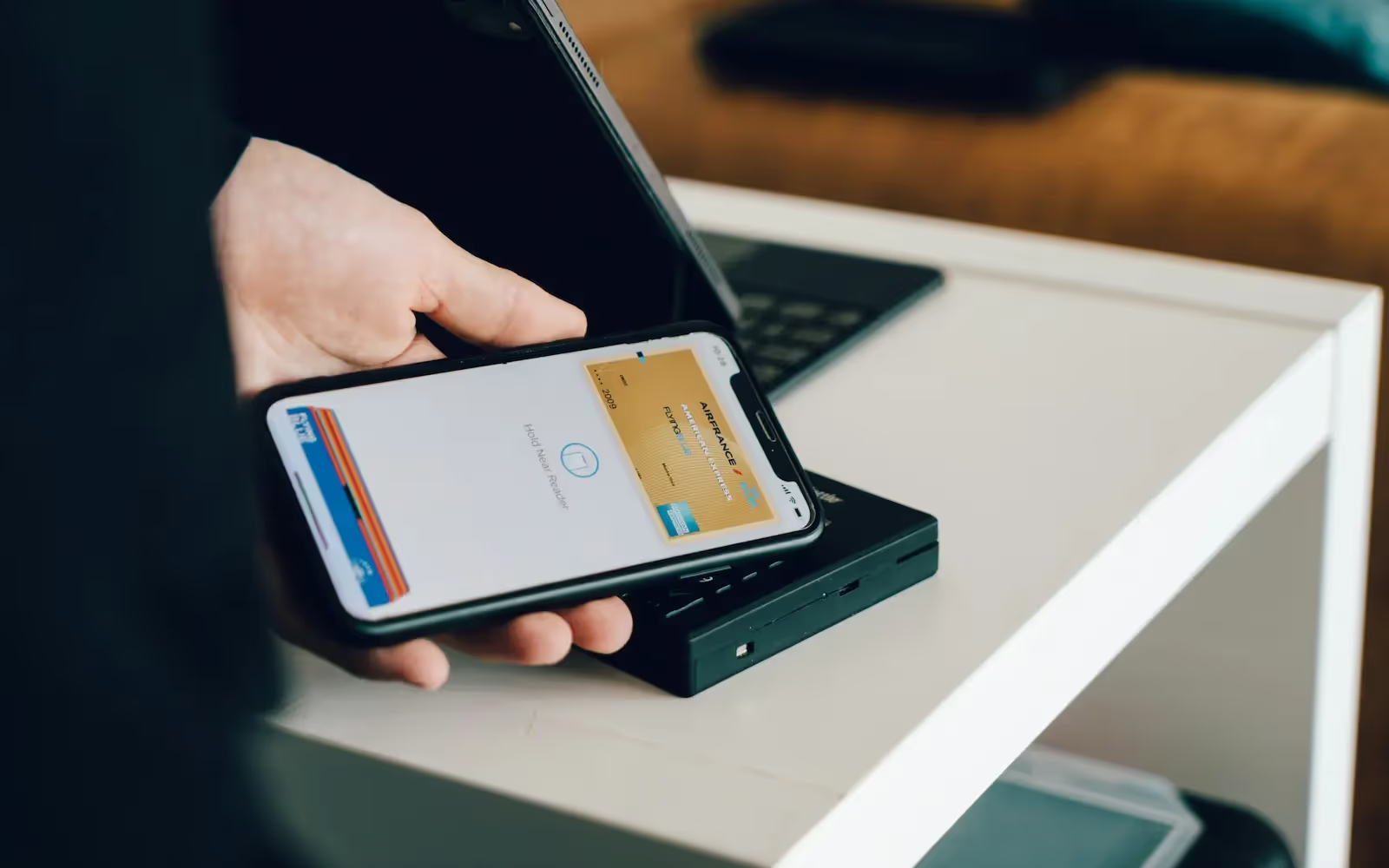
Apple's FinanceKit, available on iOS 17.4 and later, changed that. It lets apps request access to Apple Card transactions directly on your iPhone, with your permission. Our team built Kudos's Apple Card connection on top of it, so your data moves through Apple's own system instead of a third-party login.

The Apple Card earns its highest rates through Apple Pay. If you also carry a card with stronger bonus categories, like dining or groceries, Kudos can show you which card to use for each purchase.
Want to see everything your cards are worth? See how Kudos tracks your card perks and credits.
What Do You Get When You Connect Your Apple Card to Kudos?
Connecting your Apple Card brings it into the same view as every other card in your Kudos Wallet.
- Every Apple Card transaction in one place. Your full Apple Card history shows up in your feed next to your other cards.
- Complete spending insights. Your spending breakdowns now include Apple Card purchases, so category totals reflect what you actually spend.
- Smarter card recommendations. Kudos can suggest when your Apple Card is the right card to use and when another card in your wallet earns more.
- Rewards tracking. Keep tabs on Apple Card Daily Cash, including 3% at Apple and select merchants with Apple Pay, 2% with Apple Pay, and 1% when you use the titanium card or Apple Pay isn't accepted.
[[ SINGLE_CARD * {"id": "145", "isExpanded": "false", "bestForCategoryId": "15", "bestForText": "Apple Pay Users", "headerHint": "NOW WORKS WITH KUDOS"} ]]
How to Connect Your Apple Card to Kudos
You'll connect from the Kudos app on your iPhone. It takes about a minute, plus a few minutes for your history to load.

- Open Kudos and tap Wallet at the bottom of the screen.
- Swipe to your Apple Card. If you don't see it, tap + Add card at the top and add it first.
- Under Summary, tap Connect your account.
- Your iPhone will ask whether Kudos can access your financial data. Tap Select Accounts.
- Make sure Apple Card is checked, then tap Continue. Apple Cash is optional.
- Leave All Available Activity selected and tap Share with Kudos. This brings in your full history, so your insights and rewards tracking are complete from day one.
- Keep Kudos open for a few minutes while your transactions load. You'll see a counter as they sync.

After that, new Apple Card transactions sync each time you open the Kudos app.
Is It Safe to Connect Your Apple Card to Kudos?
Your Apple Card connects through Apple's own secure system on your iPhone. You never enter your Apple Card login into Kudos.
Kudos only sees your transactions after you give permission on your device, and you choose which accounts to share. You can stop sharing at any time.
What You Need Before You Connect
- An iPhone or iPad on iOS 17.4 or later. The connection runs through Apple's system, so it starts on an Apple device. Once connected, your Apple Card activity shows up everywhere you use Kudos.
- The Kudos app open to sync. New transactions come in each time you open the app.
- Your own Apple Card account. Apple doesn't support Apple Card Family participants yet.
Frequently Asked Questions
Can I connect my Apple Card to Kudos on Android?
No. The connection uses Apple's FinanceKit, which requires an iPhone or iPad on iOS 17.4 or later. Once you connect on an Apple device, your Apple Card activity shows up wherever you use Kudos.
Does Kudos see my Apple Card login?
No. You approve access on your iPhone through Apple's system, and Kudos never receives your Apple Card credentials. You can stop sharing at any time.
Do I have to share Apple Cash too?
No. Apple Cash is optional. You only need to check Apple Card during setup.
Why don't I see all my Apple Card transactions?
Make sure you selected All Available Activity during setup and kept Kudos open while your history loaded. New transactions sync each time you open the app.
Can Apple Card Family members connect?
Not yet. Apple doesn't currently support Apple Card Family participants for this kind of connection.
What happens to the connection when Apple Card moves to Chase?
In January 2026, Apple and Chase announced that Chase will become the new issuer of Apple Card, with the transition expected in approximately 24 months. Apple says cardholders can keep using their card as they normally do during the transition, and Goldman Sachs continues to issue the card until it's complete. We'll update this post if anything changes for the Kudos connection.

The Bottom Line
If you carry an Apple Card, you can now see it in Kudos alongside every other card you use. Your spending insights, card recommendations, and rewards tracking finally include your Apple Card purchases.
Open the Kudos app on your iPhone, tap Wallet, and connect your Apple Card in about a minute. Don't have Kudos yet? Create a free account to get started.
Unlock your extra benefits when you become a Kudos member



Turn your online shopping into even more rewards


Join over 500,000 members simplifying their finances


Editorial Disclosure: Opinions expressed here are those of Kudos alone, not those of any bank, credit card issuer, hotel, airline, or other entity. This content has not been reviewed, approved or otherwise endorsed by any of the entities included within the post.




.webp)






.webp)