












Kudos has partnered with CardRatings and Red Ventures for our coverage of credit card products. Kudos, CardRatings, and Red Ventures may receive a commission from card issuers. Kudos may receive commission from card issuers. Some of the card offers that appear on Kudos are from advertisers and may impact how and where card products appear on the site. Kudos tries to include as many card companies and offers as we are aware of, including offers from issuers that don't pay us, but we may not cover all card companies or all available card offers. You don't have to use our links, but we're grateful when you do!

Can You Send MoneyGram with a Credit Card? (2026)
July 1, 2025



Quick Answer
Yes, you can use a credit card to send money through MoneyGram. MoneyGram accepts Visa and Mastercard credit cards for online and in-app transfers. However, there are two important costs most people do not anticipate: MoneyGram charges higher transfer fees for credit card payments compared to bank account or debit card payments, and your card issuer will almost certainly classify the transaction as a cash advance — meaning a separate cash advance fee and immediate high-rate interest with no grace period.
Whether using a credit card for MoneyGram is worth it depends entirely on the dollar amount you are sending, how quickly you need the money to arrive, and whether you have a cheaper funding option available. This guide covers the full cost picture, how to minimize it, and when it makes sense.

What MoneyGram Is and How It Works

MoneyGram is an international money transfer service that operates in over 200 countries and territories. It allows you to send money online, through its mobile app, by phone, or in person at one of its physical agent locations — typically found in retail stores, pharmacies, and check-cashing services.
The transfer process is straightforward: you create a MoneyGram account, enter the recipient's details and the amount you want to send, select a payment method and a delivery method, review the fees and exchange rate, and confirm the transaction. After the transfer is sent, your recipient receives a reference number to collect the funds — either at an agent location in cash, directly to a bank account, or to a mobile wallet, depending on the destination country and available options.
Transfer speed varies by method. Cash pickup is typically available within minutes of sending during the pickup location's business hours. Bank account deposits can take minutes to a few days depending on the receiving country. Mobile wallet delivery is usually complete within minutes where available.

The Real Cost of Using a Credit Card for MoneyGram
This is where most people are caught off guard. Using a credit card for MoneyGram involves up to three layers of cost — and our blog previously only covered two of them.
Layer 1 — MoneyGram's transfer fee. MoneyGram charges a transfer fee that varies based on the amount you are sending, the destination country, the payment method, and the delivery method. Credit card payments consistently carry higher MoneyGram transfer fees than bank account or debit card payments. The exact amount varies by corridor — check MoneyGram's fee estimator on their website before sending, as fees change frequently.
Layer 2 — Your card issuer's cash advance fee. Most credit card issuers classify MoneyGram transactions as cash advances, not purchases. Cash advance fees typically run 3% to 5% of the transaction amount, or a flat minimum of $5 to $10, whichever is greater. On a $500 transfer, that is an additional $15 to $25 on top of MoneyGram's fee.
Layer 3 — The exchange rate markup. This is the most overlooked cost on international transfers and is often larger than the visible transfer fee. MoneyGram sets its own exchange rates, which include a margin above the mid-market interbank rate. On a $1,000 international transfer, the exchange rate margin can represent $10 to $50 or more in hidden cost depending on the currency pair — money that comes out of what your recipient actually receives. To measure this cost, compare MoneyGram's quoted exchange rate against the current mid-market rate for your currency pair, which you can find on Google or XE.com.
The Cash Advance Trap — Why Interest Starts Immediately
The cash advance classification by your card issuer is the single most important thing to understand before funding a MoneyGram transfer with a credit card.
With regular credit card purchases, you have a grace period — typically 21 to 25 days — during which you can pay your balance in full and owe no interest. Cash advances do not have a grace period. Interest begins accruing from the exact day of the transaction, regardless of when your billing cycle closes or when your payment is due.
This means even if you pay your entire credit card balance in full before the due date, you will still owe some cash advance interest — calculated from the transaction date to the payment date. Cash advance APRs are also typically higher than purchase APRs, commonly running 25% to 30% on most major cards.
The practical implication: a $600 MoneyGram transfer treated as a cash advance on a card with a 29.99% cash advance APR, paid off 20 days later, would incur roughly $10 in interest — on top of the cash advance fee and MoneyGram's transfer fee. If the transfer is not paid off quickly, the interest compounds rapidly.
How to check if your card will treat MoneyGram as a cash advance: look at your card's Schumer Box (the fee table in your cardmember agreement) for the cash advance APR and fee. You can also call the number on the back of your card before transacting and ask how MoneyGram or "money transfer services" are classified as a merchant category code.
Which Cards MoneyGram Accepts
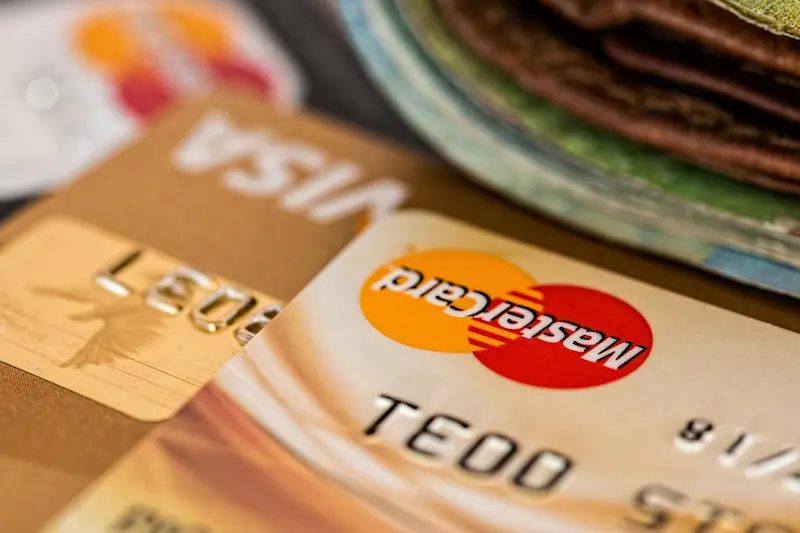
MoneyGram accepts Visa and Mastercard credit and debit cards for online and in-app transfers. American Express and Discover are not accepted for MoneyGram payments.
Prepaid Visa and Mastercard cards may or may not be accepted depending on the specific card and your country. MoneyGram's system verifies cards at the time of the transaction — if your card is declined, you will need to use a different payment method.
Debit cards linked to a Visa or Mastercard network are accepted and are processed as debit transactions, not cash advances. This is an important distinction: using a Visa or Mastercard debit card for MoneyGram avoids the cash advance classification entirely.
Should You Use a Credit Card for MoneyGram?
In most cases, using a credit card for MoneyGram is not the cheapest option and carries real financial risks if the balance is not paid off immediately. Here is a framework for deciding.
Use a credit card for MoneyGram if: you have an urgent need to send money and have no bank account or debit card available, you understand and accept the cash advance fee and immediate interest, the recipient needs cash pickup within minutes and no other funding method is available, and you can pay the full balance — including the cash advance — before the end of the billing cycle to minimize interest.
Avoid using a credit card for MoneyGram if: you are sending a large amount where fees will be substantial, you carry a balance on your credit card (interest will compound on top of the cash advance), you have a bank account or debit card available (both are cheaper and avoid the cash advance classification), or you are sending money internationally where the exchange rate margin adds meaningful hidden cost.
The honest assessment from Kudos: for the vast majority of MoneyGram transactions, a bank account transfer or debit card is the right choice. The combination of MoneyGram's higher credit card transfer fees, your issuer's cash advance fee, immediate interest at a high APR, and the exchange rate margin can make a credit card transfer meaningfully more expensive than it initially appears.

How to Send MoneyGram with a Credit Card — Step by Step
If you have determined that a credit card is the right choice for your situation, here is how the process works.
Step 1: Create or log in to your MoneyGram account at moneygram.com or in the MoneyGram app.
Step 2: Enter the recipient's full legal name as it appears on their government-issued ID, their location or receiving country, and the amount you want to send.
Step 3: Select the delivery method — cash pickup, bank deposit, or mobile wallet — depending on what is available in your recipient's country.
Step 4: Select "Credit Card" as your payment method. You will be prompted for your card number, expiration date, and CVV.
Step 5: Review all transaction details carefully before confirming. Pay attention to three numbers: the transfer fee (what MoneyGram charges), the exchange rate (compare to mid-market), and the total amount your recipient will actually receive. The exchange rate is often more important than the transfer fee on international sends.
Step 6: After the transaction is approved, MoneyGram provides a reference number. Share this securely with your recipient — they will need it to collect the funds at an agent location if receiving cash.
Step 7: Pay off your credit card balance as quickly as possible to minimize cash advance interest, which began accruing from the moment of the transaction.
Payment Method Comparison — Which Is Cheapest?

Ranked from least to most expensive for MoneyGram transfers:
Bank account (ACH) transfer: Typically the cheapest MoneyGram payment method. No cash advance fees, lower MoneyGram transfer fees, and often the most favorable exchange rates. The trade-off is speed — ACH transfers take 1 to 3 business days to process, meaning the transfer is not as immediate as a card payment.
Debit card (Visa or Mastercard): The best balance of cost and speed. Transfer fees are lower than credit card fees, no cash advance classification, and transfers typically process quickly — often within minutes for cash pickup delivery. For most MoneyGram users, this is the recommended funding method.
Credit card (Visa or Mastercard only): Higher MoneyGram transfer fees plus cash advance fees from your issuer plus immediate interest. Only makes sense when a debit card or bank account is not available.
Cash at agent location: Fees vary by location. For in-person transfers where you bring cash directly to a MoneyGram agent, there is no card fee involved — but exchange rates and transfer fees may be less favorable than online options. Best for people without bank accounts who need to send money immediately.
Alternatives to MoneyGram for International Transfers
If cost is the priority, there are alternatives to MoneyGram that frequently offer better exchange rates, lower fees, or both — particularly for larger international transfers.
Wise (formerly TransferWise): Wise uses the mid-market exchange rate with no markup and charges a small, transparent percentage-based fee. For international transfers where the exchange rate is the primary cost driver, Wise typically delivers more money to the recipient than MoneyGram. You can fund Wise transfers by bank account or debit card.
Western Union: Available in more locations than almost any other service. Fees and exchange rates vary by corridor and are comparable to MoneyGram — sometimes cheaper, sometimes more expensive depending on the specific send and receive countries. Worth checking both for any international transfer.
Remitly: Often competitive on popular corridors such as US to Mexico, US to the Philippines, and US to India. Remitly offers a "Promise" guarantee on delivery time and exchange rates, which adds predictability. Fees are generally lower than MoneyGram for debit or bank account funded transfers.
PayPal: Useful if both sender and recipient have PayPal accounts. Sending money to family and friends domestically from a bank account is free. International transfers and credit card-funded sends carry fees. PayPal's exchange rate markup is typically 3.5% to 4%, which is less competitive than Wise but comparable to MoneyGram.
Cash App, Venmo, and Zelle: Primarily designed for domestic US transfers between individuals. Not suitable for international transfers. Cash App charges a 3% fee for credit card-funded sends. Zelle does not accept credit cards at all.
Impact on Your Credit Score
Using a credit card for MoneyGram does not directly hurt your credit score in a distinct way — but there are indirect effects worth understanding.
Credit utilization is the most immediate factor. Adding a MoneyGram transfer to your credit card balance increases your total balance relative to your credit limit. If the transfer is large enough to push your utilization above 30% on that card, your credit score may temporarily dip until the balance is paid down.
The cash advance itself does not appear separately on your credit report or create a distinct negative mark. However, if the high fees and immediate interest make the balance harder to pay off, any resulting late or missed payments can cause significant credit score damage — payment history is the single most heavily weighted factor in your FICO score.
Practically: if you are in the middle of a mortgage application or other major credit event where even a small temporary score dip matters, avoid a large MoneyGram credit card transaction until after the credit pull is complete.
Frequently Asked Questions and Bottom Line
Does MoneyGram accept American Express or Discover?
No. MoneyGram accepts Visa and Mastercard credit and debit cards only. American Express and Discover are not accepted for MoneyGram transactions.
Will my credit card definitely treat MoneyGram as a cash advance?
Most issuers do. MoneyGram typically processes under a merchant category code associated with money transfer services, which most card issuers classify as a cash advance. Check your card's terms or call your issuer before transacting to confirm how it will be classified.
Can I earn rewards on a MoneyGram credit card transfer?
This depends entirely on your card issuer. If the transaction is classified as a cash advance, it will not earn rewards — cash advances are excluded from rewards earning on virtually all cards. If your issuer classifies it as a regular purchase (less common), you may earn rewards, but confirm this before assuming.
What are MoneyGram's sending limits for credit card transfers?
Limits vary by country, payment method, and individual account verification level. Online transfers typically allow up to $10,000 per transfer or per month, but lower limits may apply depending on your account and the destination. Check MoneyGram's current limits on their website before initiating a large transfer.
How fast does a credit card MoneyGram transfer arrive?
Cash pickup transfers funded by credit card are typically available within minutes, subject to the agent location's operating hours and any compliance checks at the destination. Bank account deposits may take longer depending on the receiving country.
What is the cheapest way to send MoneyGram?
Bank account (ACH) transfer is typically the cheapest payment method, with the lowest MoneyGram transfer fees and no card-related charges. Debit card is the best balance of speed and cost. Credit card is the most expensive option.
The Bottom Line
Yes, you can send MoneyGram with a credit card — but it is rarely the right choice. The combination of MoneyGram's higher credit card fees, your issuer's cash advance fee, immediate high-APR interest with no grace period, and the exchange rate markup on international transfers adds up to a meaningfully more expensive transaction than using a bank account or debit card for the same send.
The practical recommendation: use a debit card or bank account for MoneyGram whenever possible. If the recipient needs cash pickup within minutes and a bank or debit option is unavailable, a credit card works — but pay the balance off immediately to cap the interest to a few days rather than a billing cycle.
For international transfers where keeping more money in the recipient's hands matters, compare MoneyGram's total cost (including the exchange rate margin) against Wise or Remitly before committing. The difference can be $20 to $50 or more on a $500 transfer.
Unlock your extra benefits when you become a Kudos member



Turn your online shopping into even more rewards


Join over 400,000 members simplifying their finances



Editorial Disclosure: Opinions expressed here are those of Kudos alone, not those of any bank, credit card issuer, hotel, airline, or other entity. This content has not been reviewed, approved or otherwise endorsed by any of the entities included within the post.

.webp)





.webp)